Trading API Application
The Trading API is a direct trading interface designated for natural persons. Based on the user's operational identity, the application process is divided into two distinct modes:
Retail Individual Mode
Applicable to direct account holders. Should you require the use of Trading API to trade accounts registered under your own name, please initiate the application independently.
Institutional Trader Mode
Applicable to institutional traders. Should you require the use of Trading API to operate authorized institutional proprietary accounts, please contact the institutional administrator (Admin) to complete the authorization application.
Retail Individual Mode Application Process
- Prod
- Sandbox
- Open Webull Hong Kong official website. Click the login button in the upper right corner to log in as a user (if you don't have a Webull user number, please click the login button next to register first).
- You can click [Developer Management Center] on the avatar in the upper right corner to jump to the Developer Management Center.
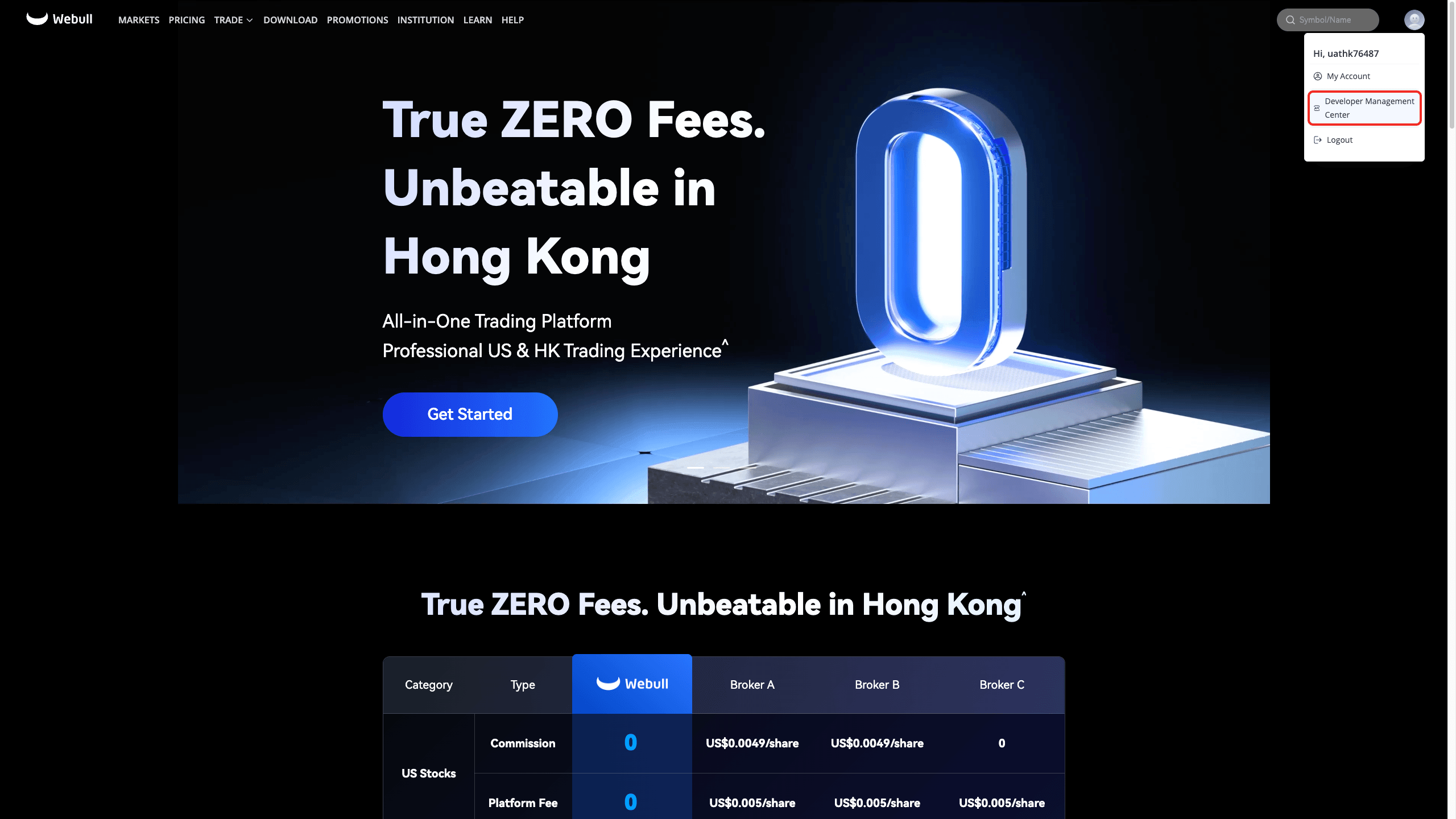 If you don't have an account, "Open an Account Now" button will appear. Click to "Open an Account Now" and follow the instructions to submit the account opening information. You need to complete the account opening before you can apply for the API.
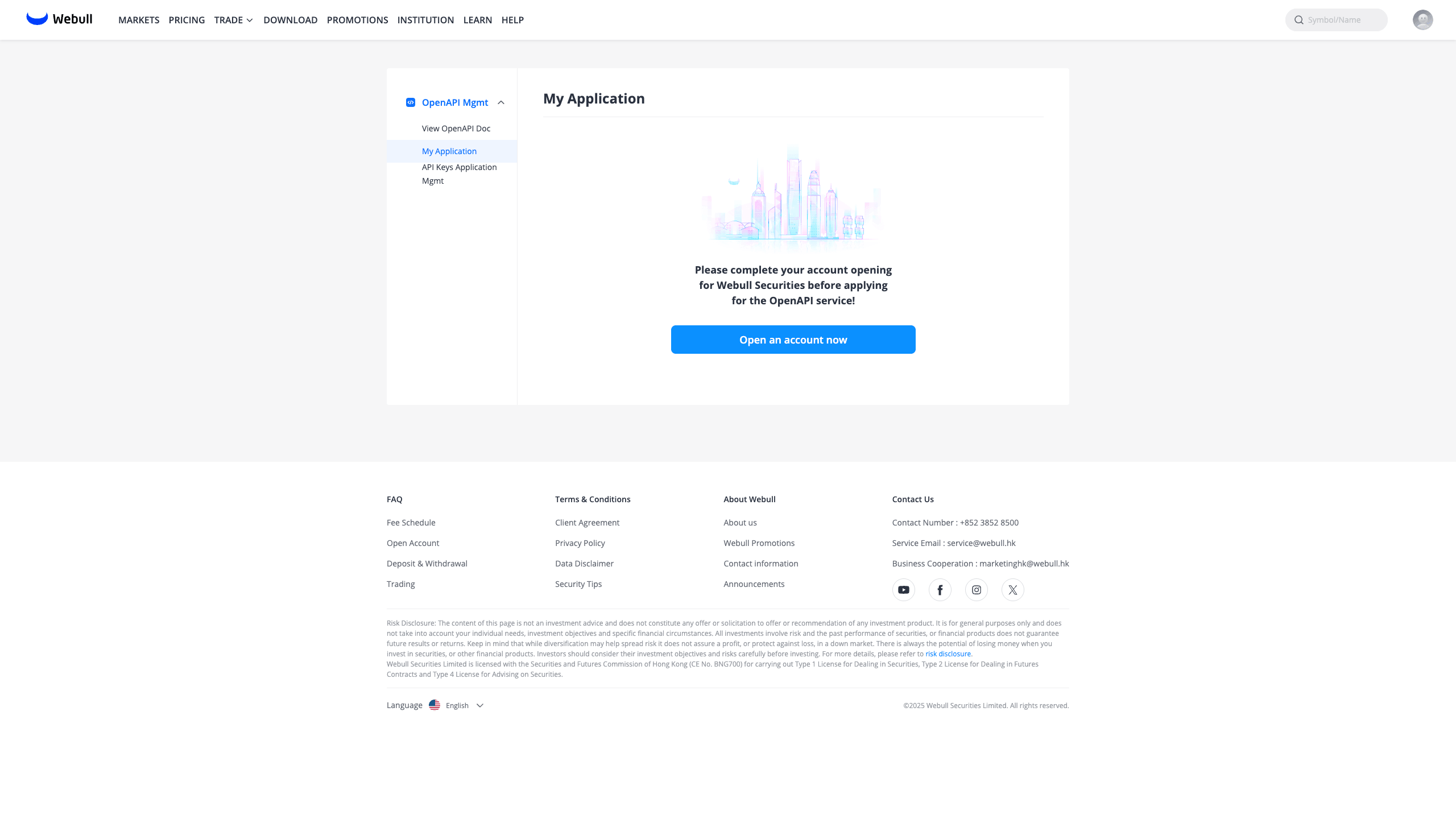
- After opening an account, click [OpenAPI Management] -> [My Application] to apply for API.
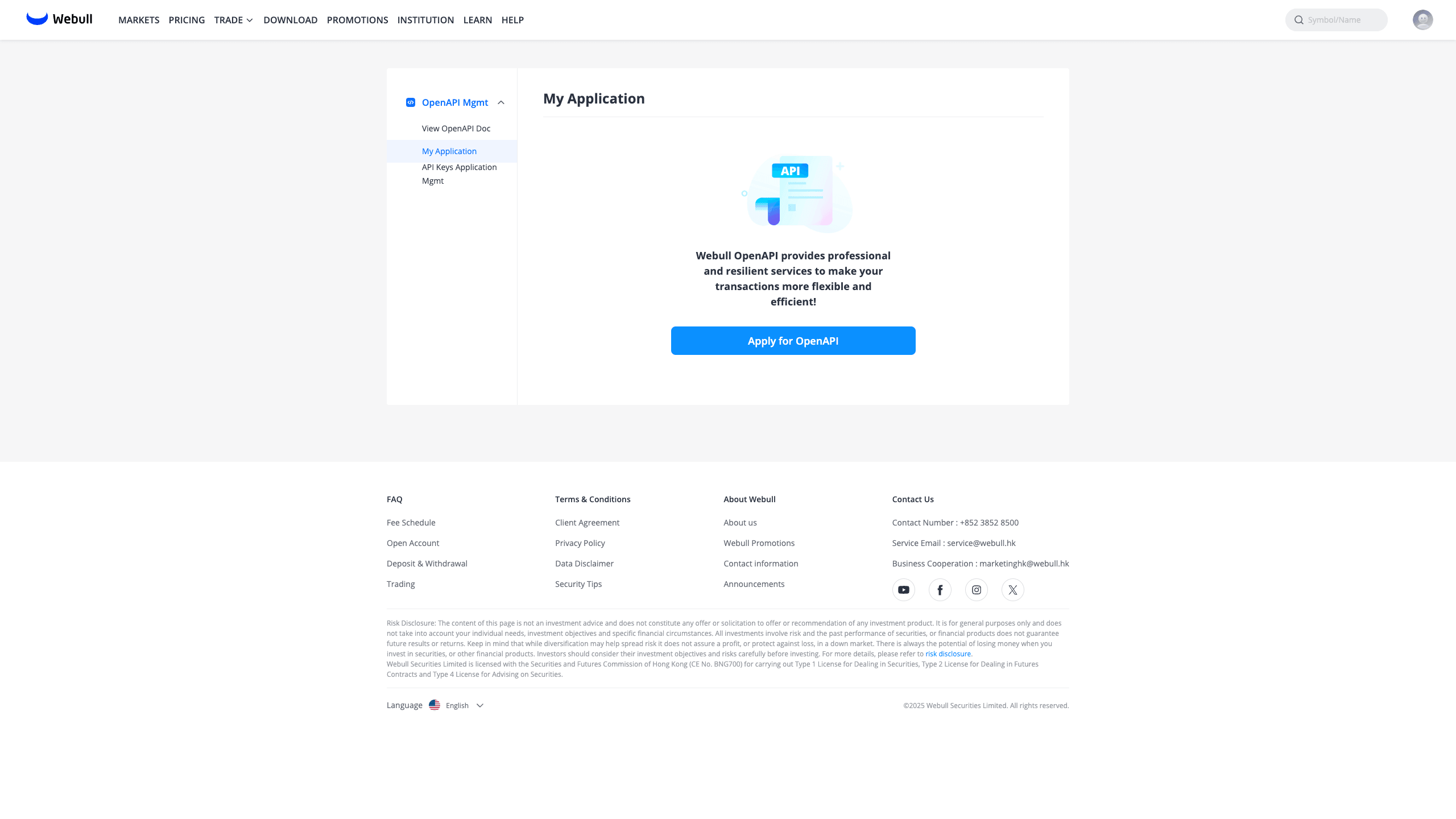
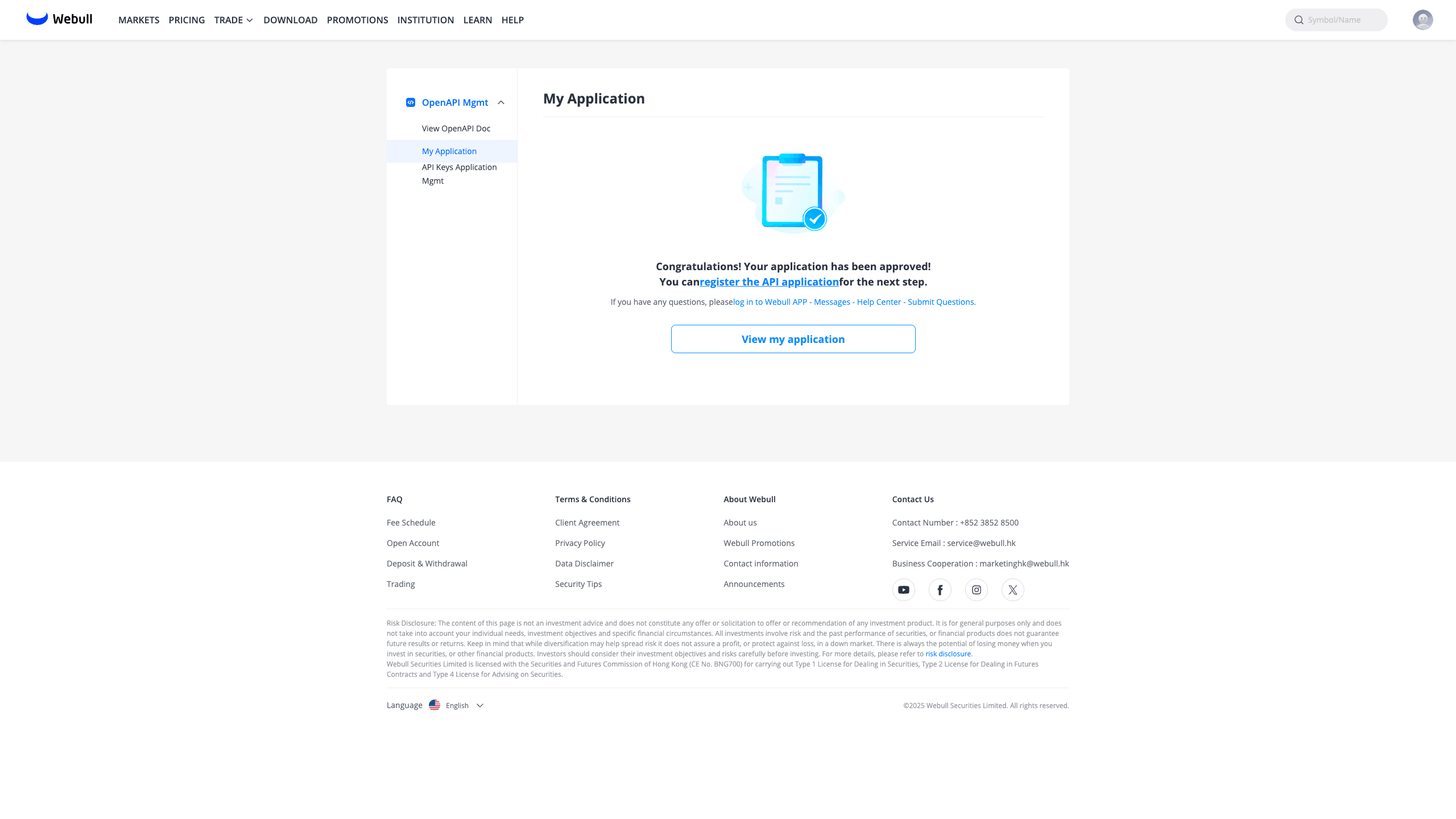
After the API application, Webull needs to review the application. It is estimated that the process will take 1 to 2 working days at the earliest.
After the application is completed, an email will be sent to the email address you filled in when opening an account. You can also view it in [OpenAPI Management] -> [My Application] on the Webull Hong Kong official website-openapi, as shown below:
Obtain API Key Application
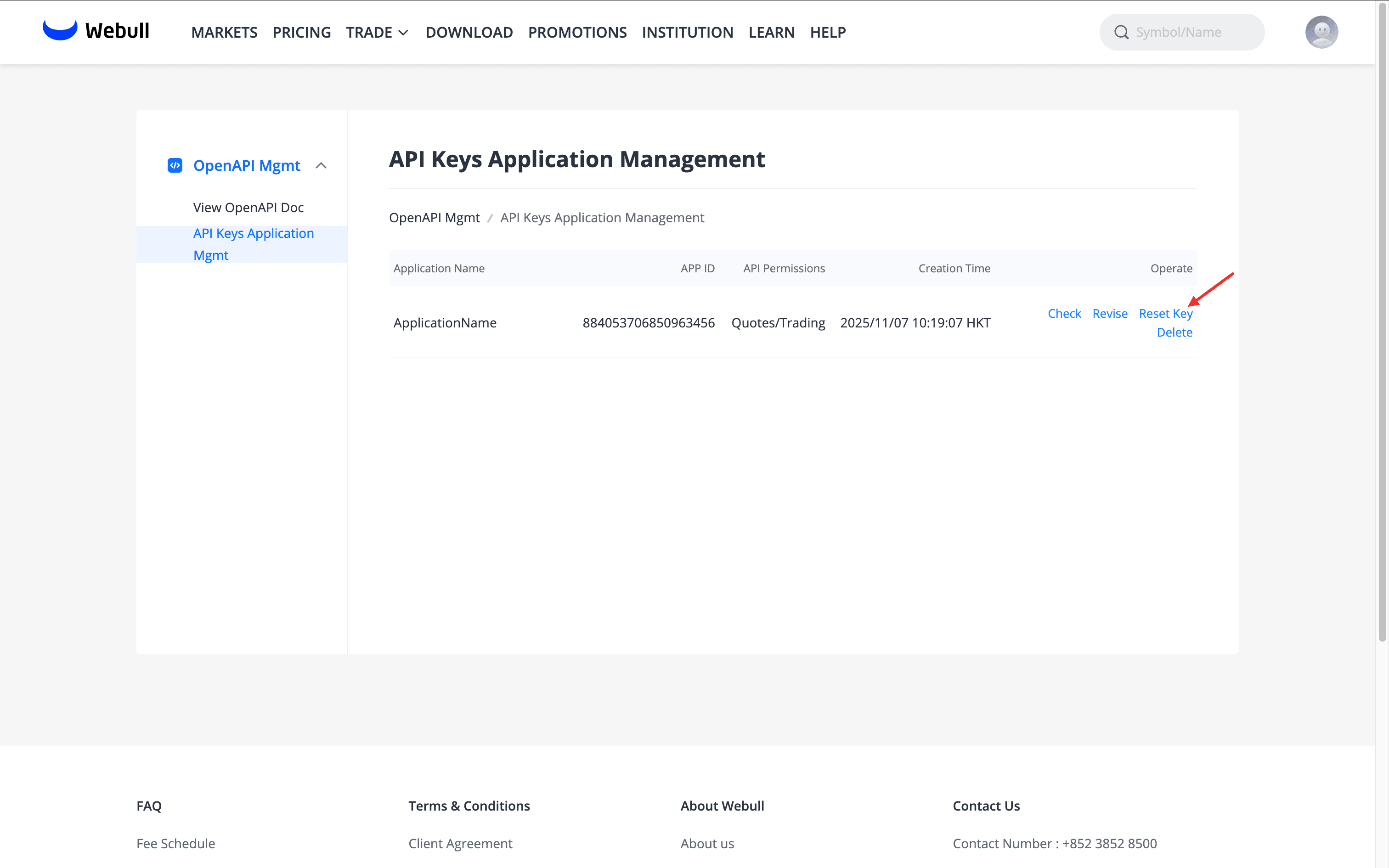
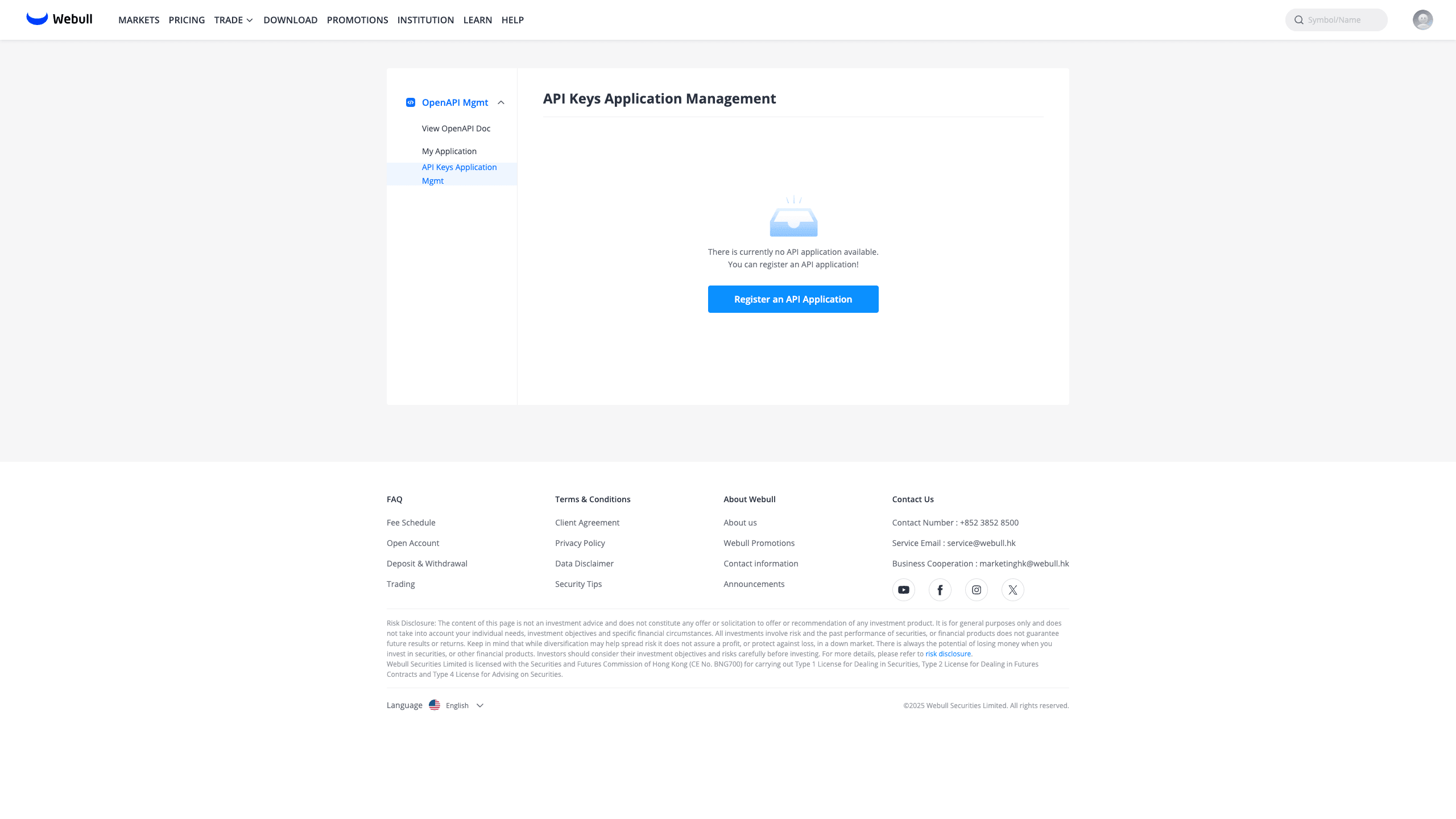
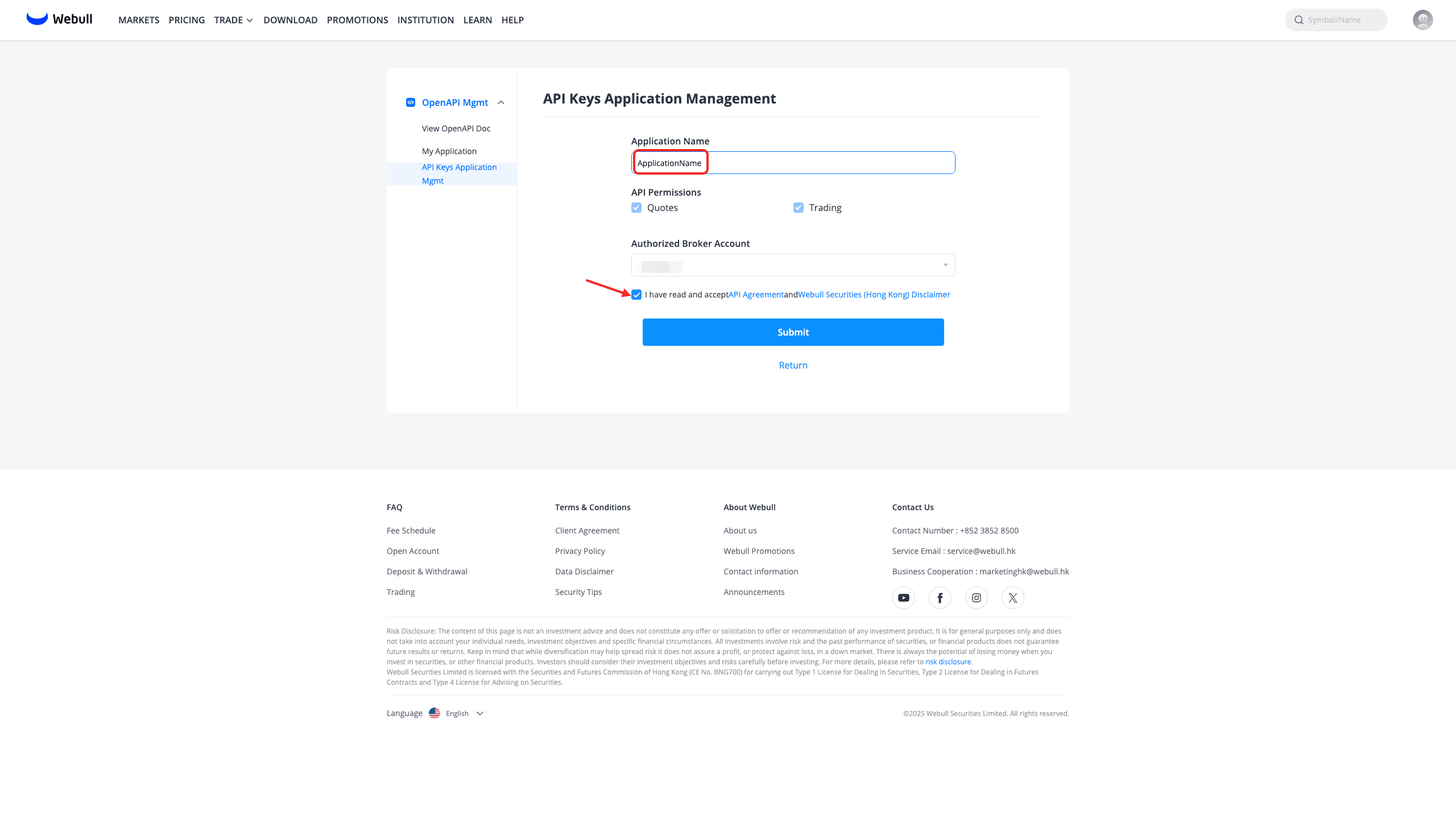
- After the API application is approved, you can start registering the application in [OpenAPI Management] -> [API Keys Application Mgnt].Enter your application name and click the box " I have read and accept the agreement" to register the application.
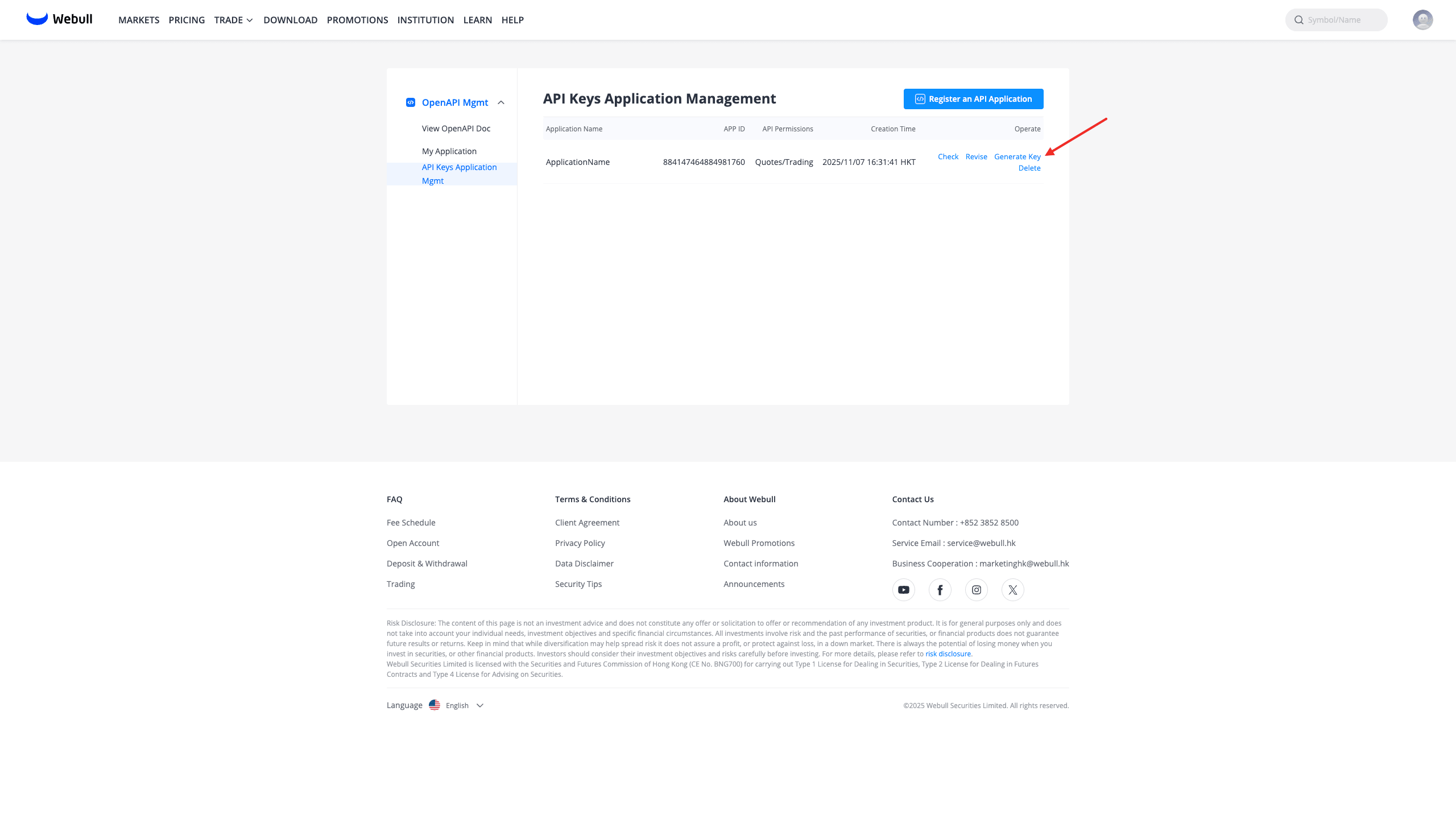
- After the registration is complete, you need to click [Generate Key] to generate the key.
 The following is an example after the key is generated, including the
 App Key,App Secret.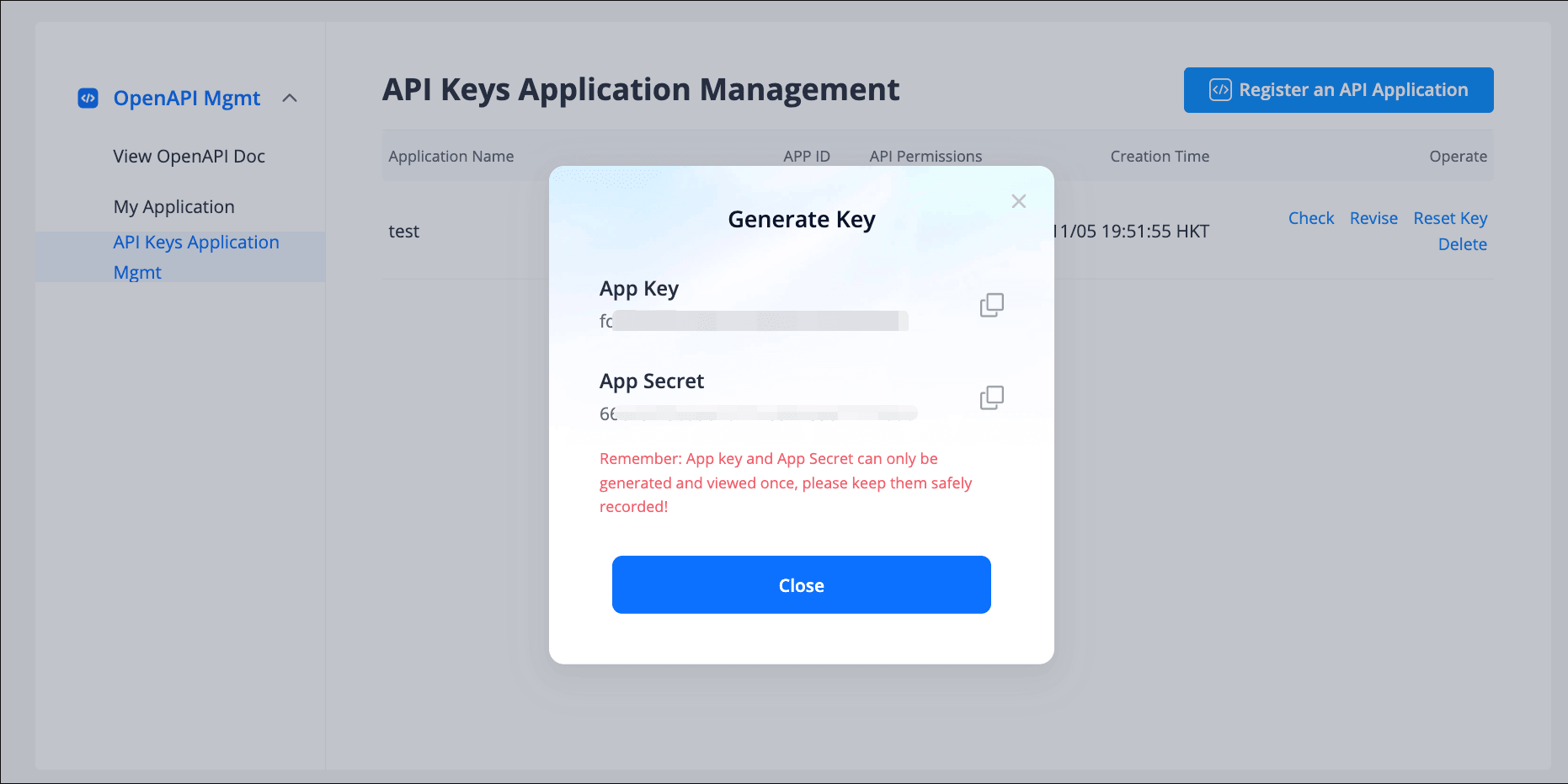
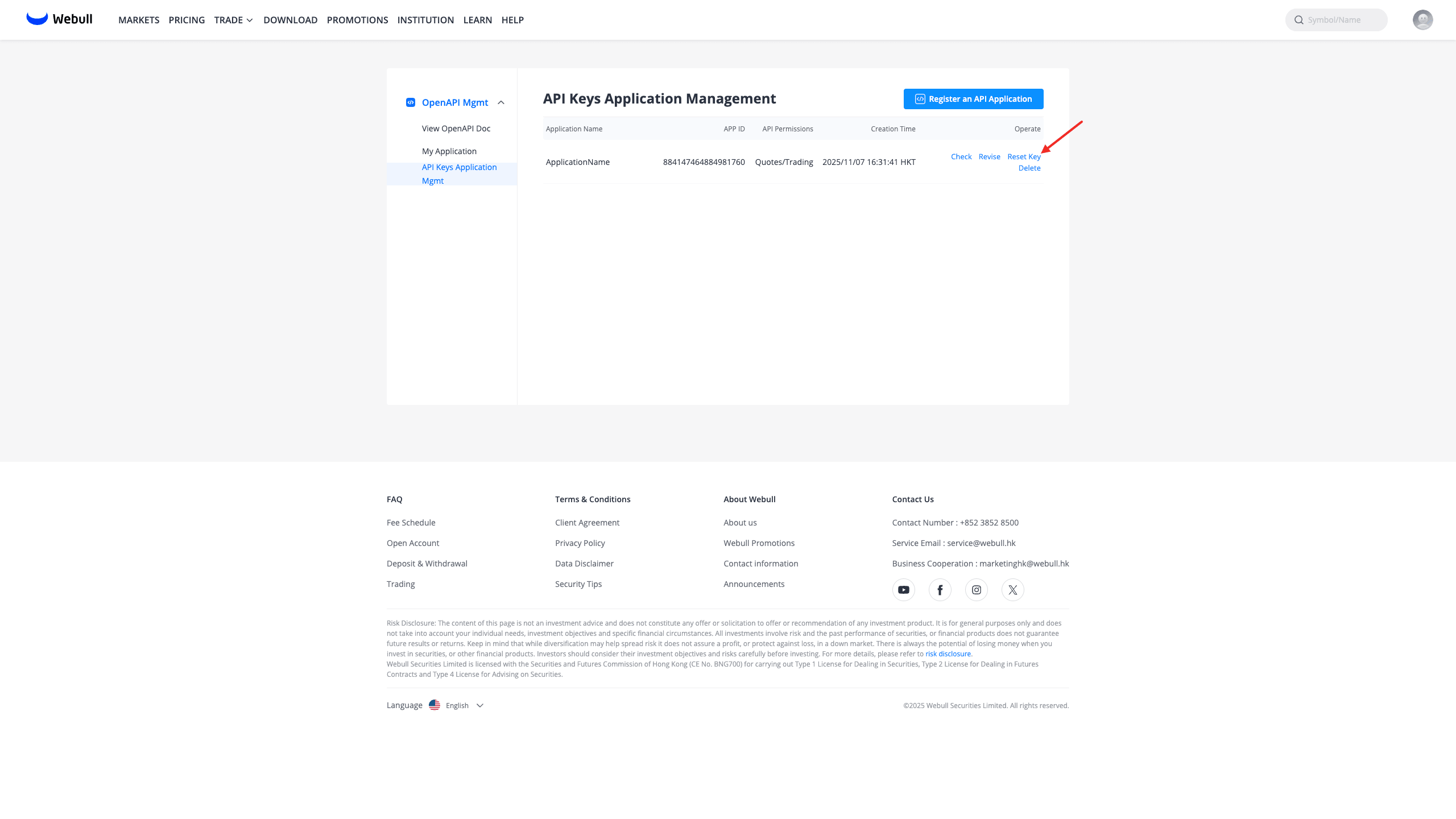
- you can click [Reset Key] to reset the App keys. Upon reset, the new key takes effect immediately, and the old key will be invalidated immediately.
- Open Webull Hong Kong official website. Click the login button in the upper right corner to log in as a user (if you don't have a Webull user number, please click the login button next to register first).
- You can click [Developer Management Center] on the avatar in the upper right corner to jump to the Developer Management Center.
If you don't have an account, "Open an Account Now" button will appear. Click to "Open an Account Now" and follow the instructions to submit the account opening information. You need to complete the account opening before you can apply for the API.
- After opening an account, click [OpenAPI Management] -> [My Application]. You will see the [Using OpenAPI service in Sandbox trading] button.
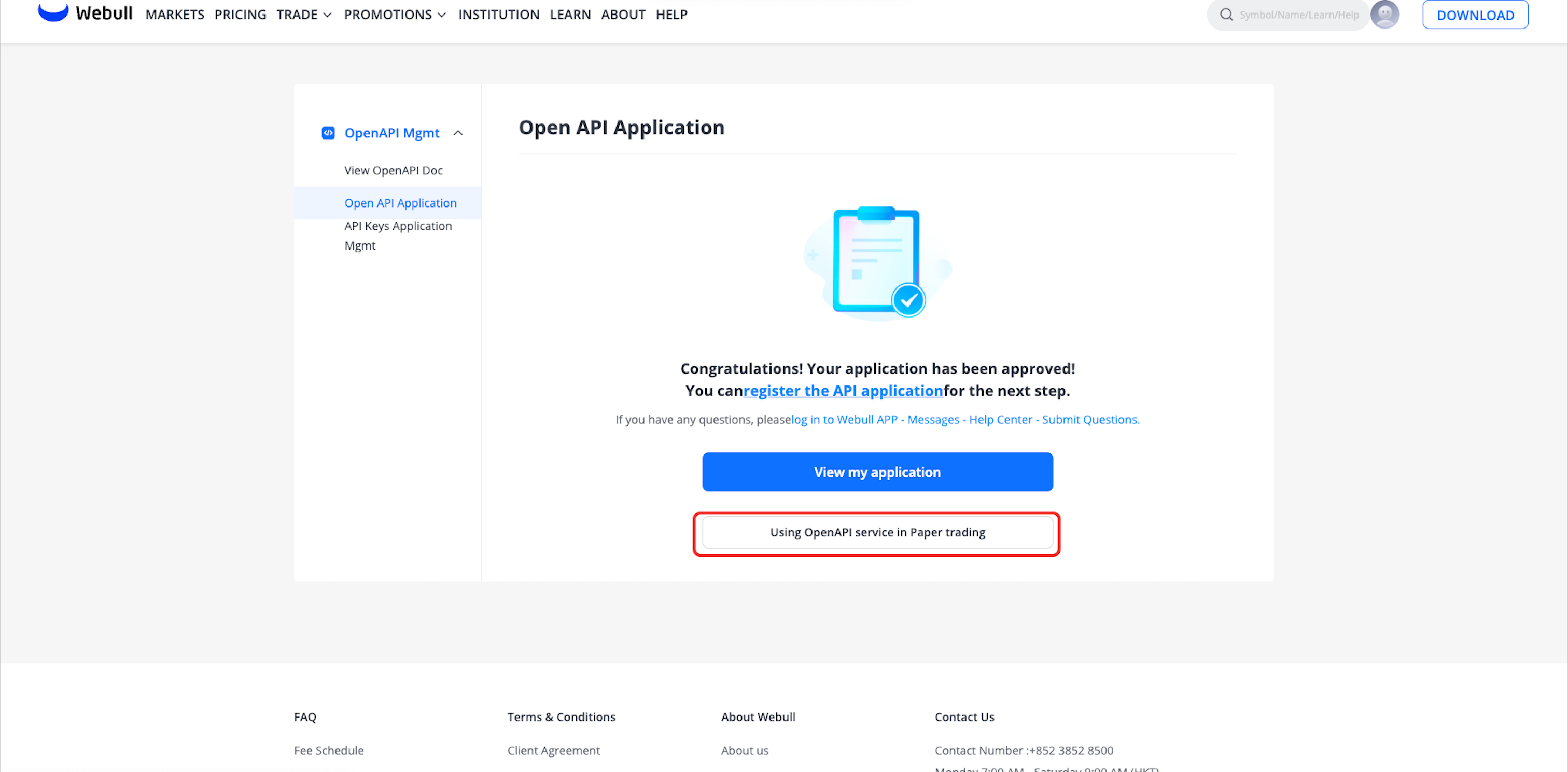
- Click the button to go to the Sandbox Trading page, then navigate to [OpenAPI Management] -> [My Application] to apply for the Sandbox Trading API.
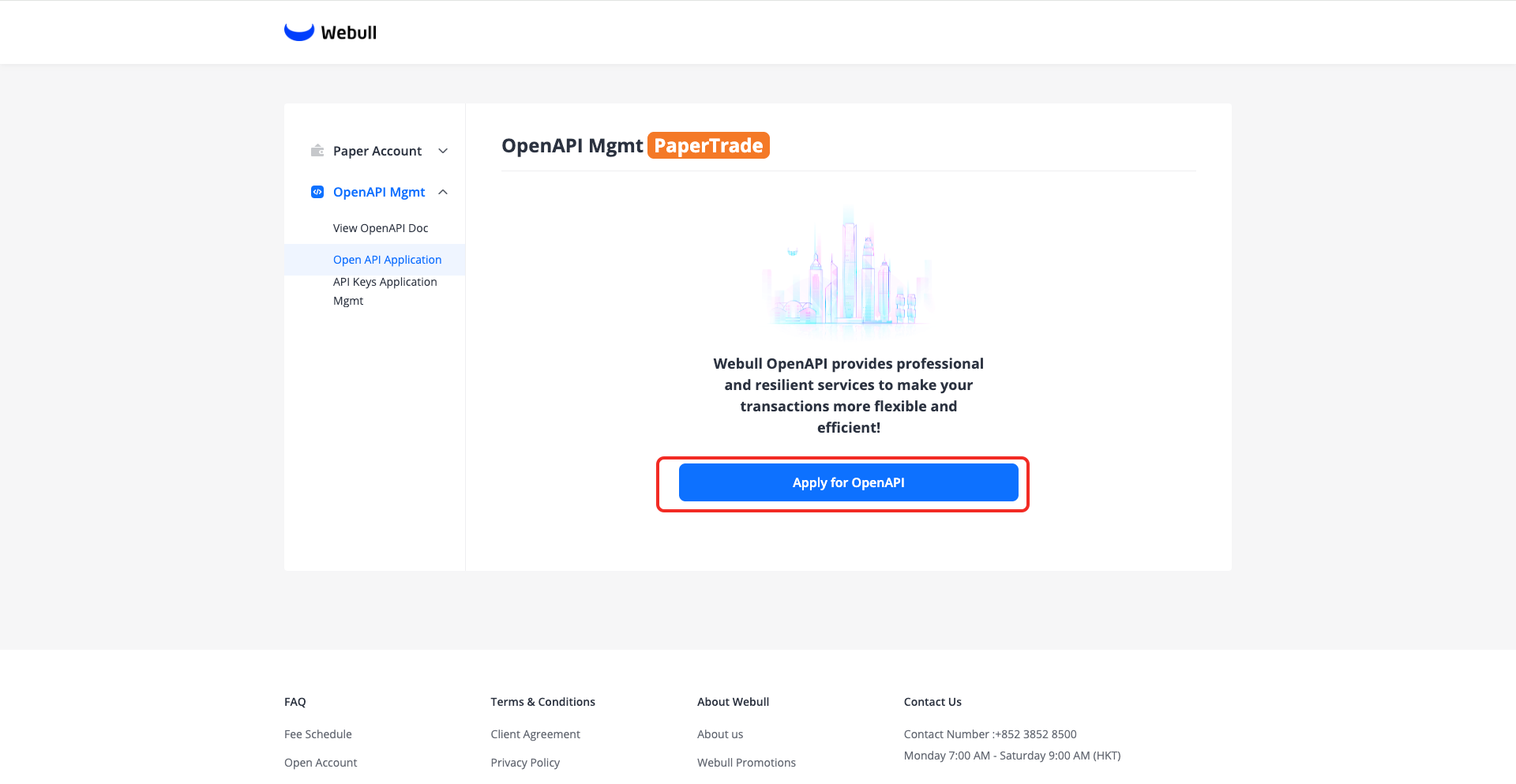
The Sandbox Trading API application is approved automatically and typically completes within a few minutes
Obtain API Key Application (Sandbox Environment)
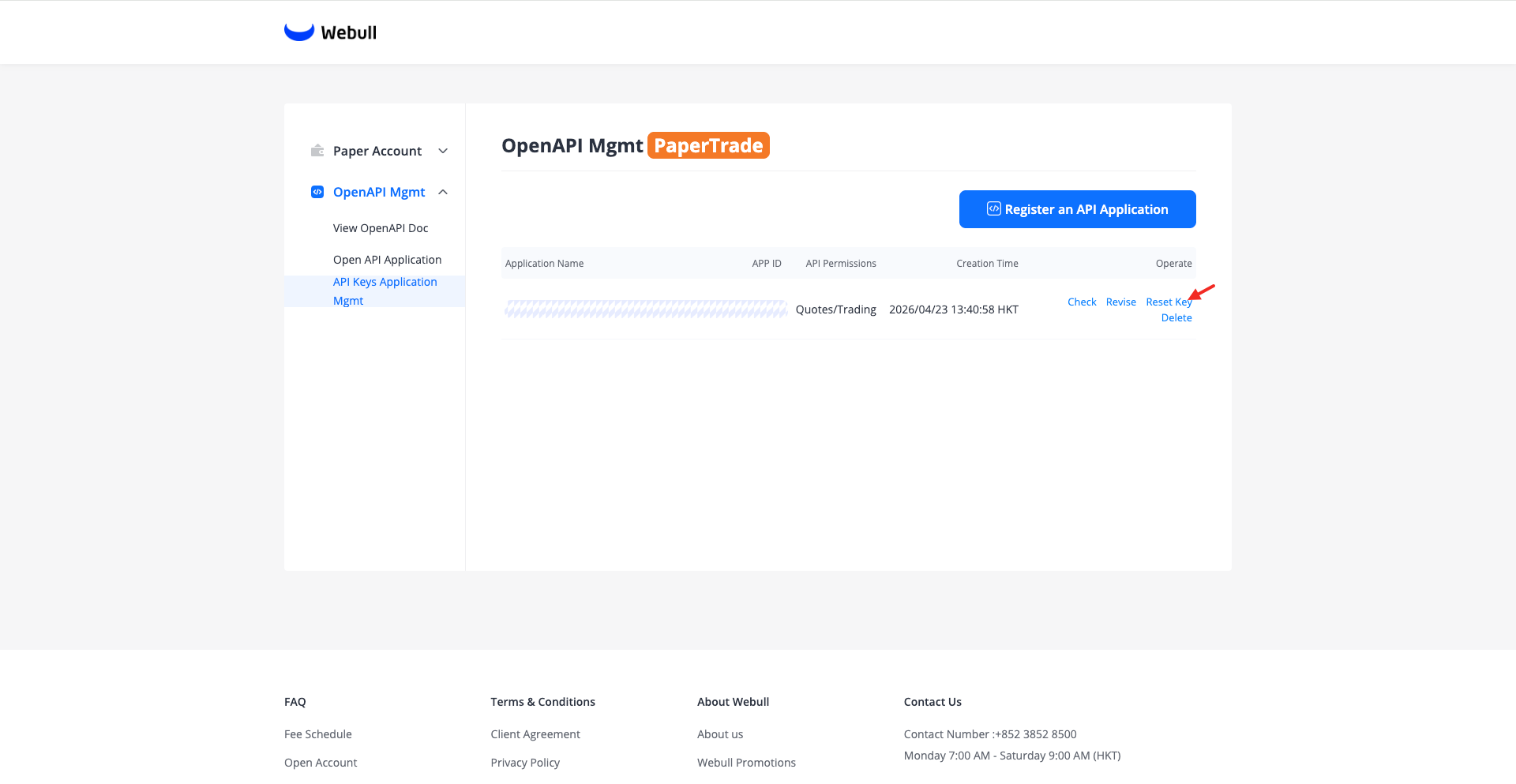
- After the Sandbox Trading API application is approved, you can start registering the application in [OpenAPI Management] -> [API Keys Application Mgnt]. Enter your application name and click the box "I have read and accept the agreement" to register the application.
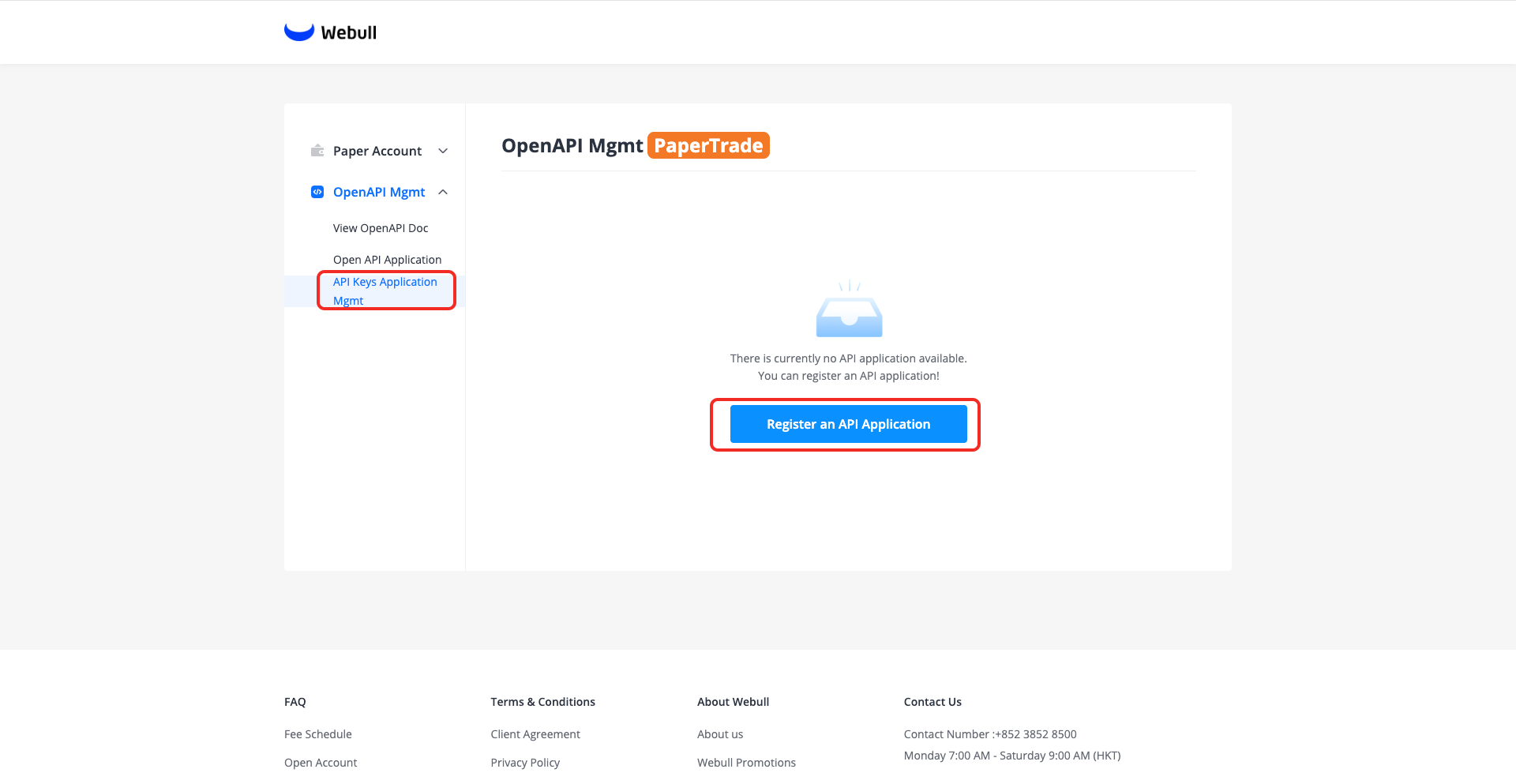
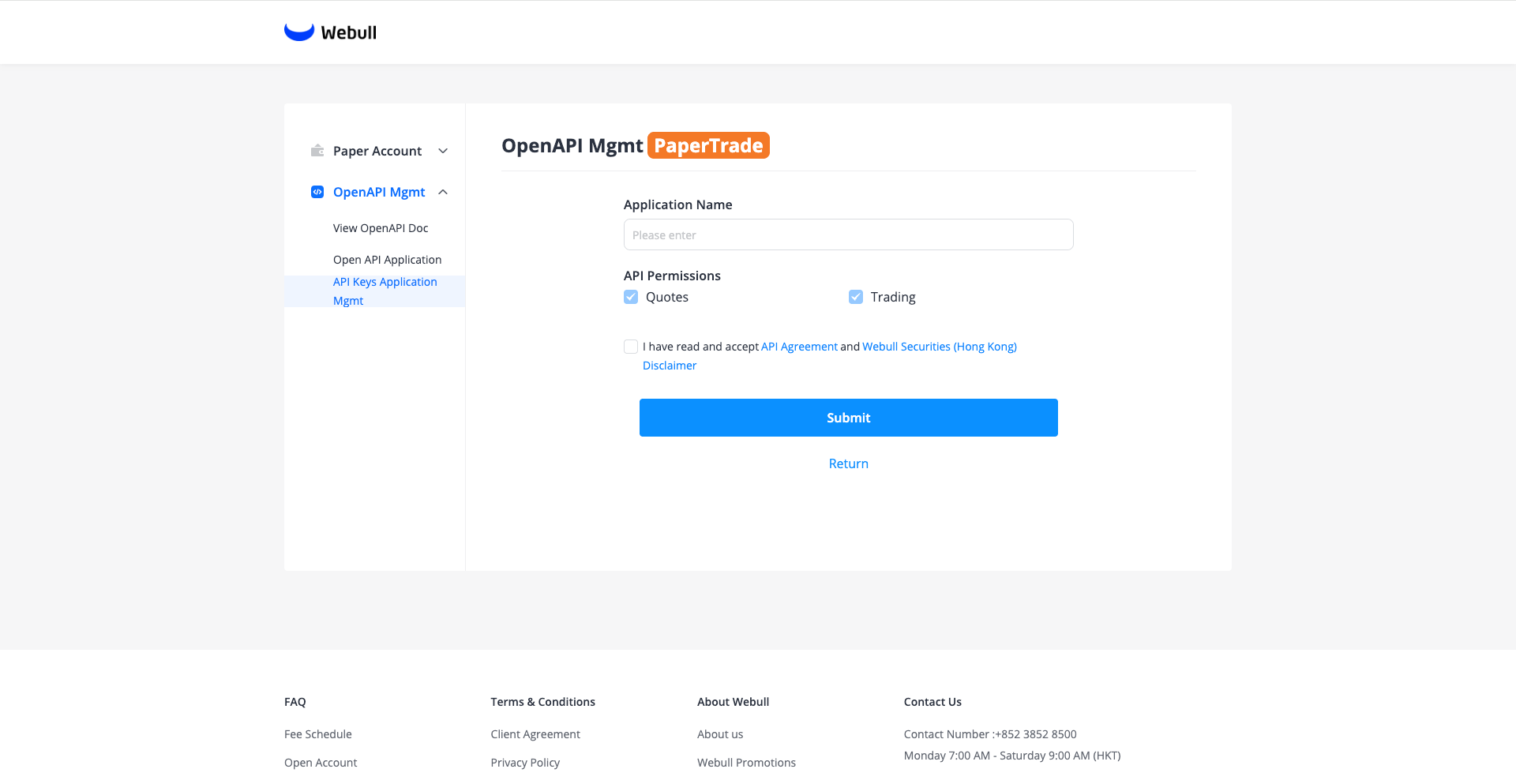
- After the registration is complete, you need to click [Generate Key] to generate the key.
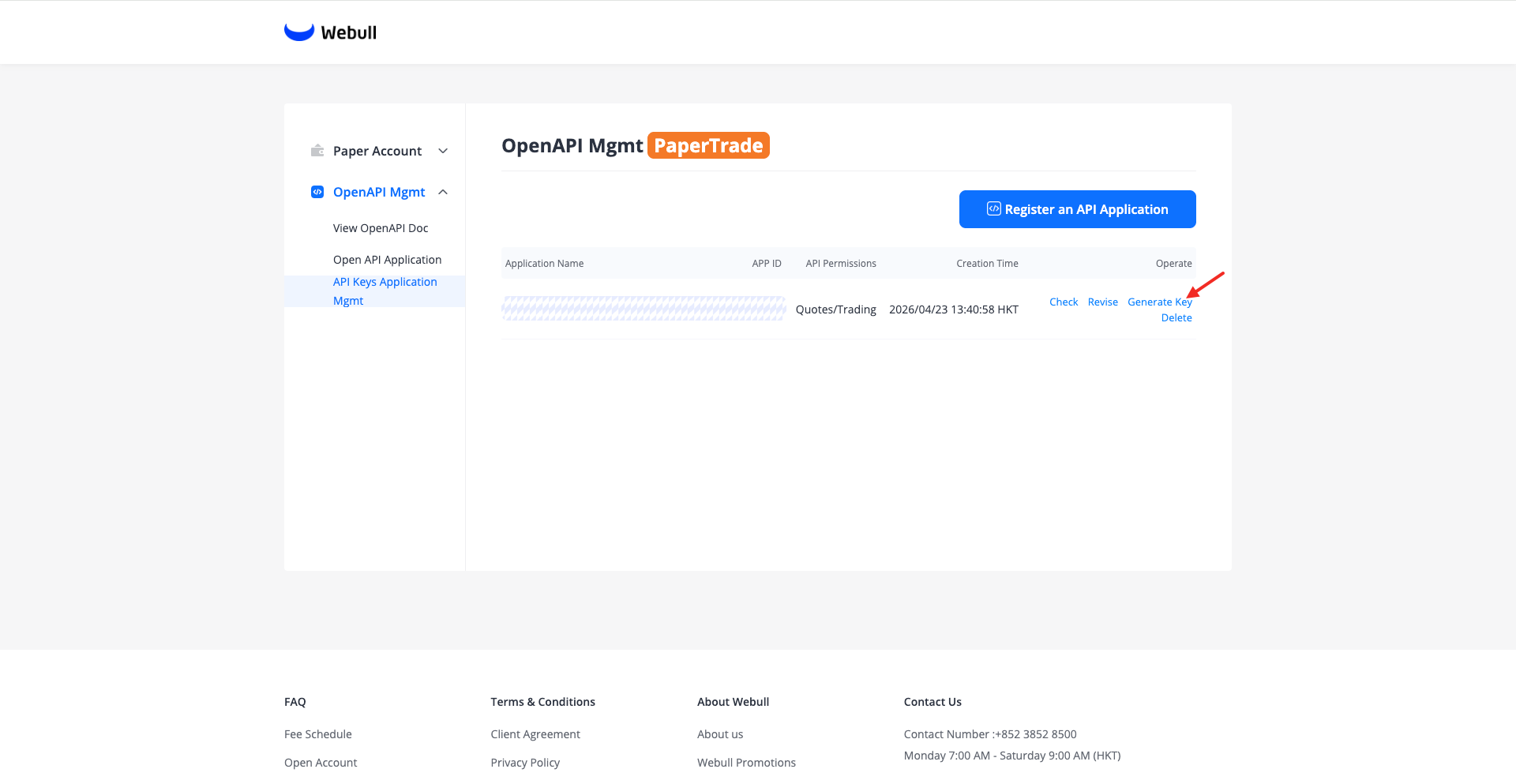 The following is an example after the key is generated, including the
 App Key,App Secret.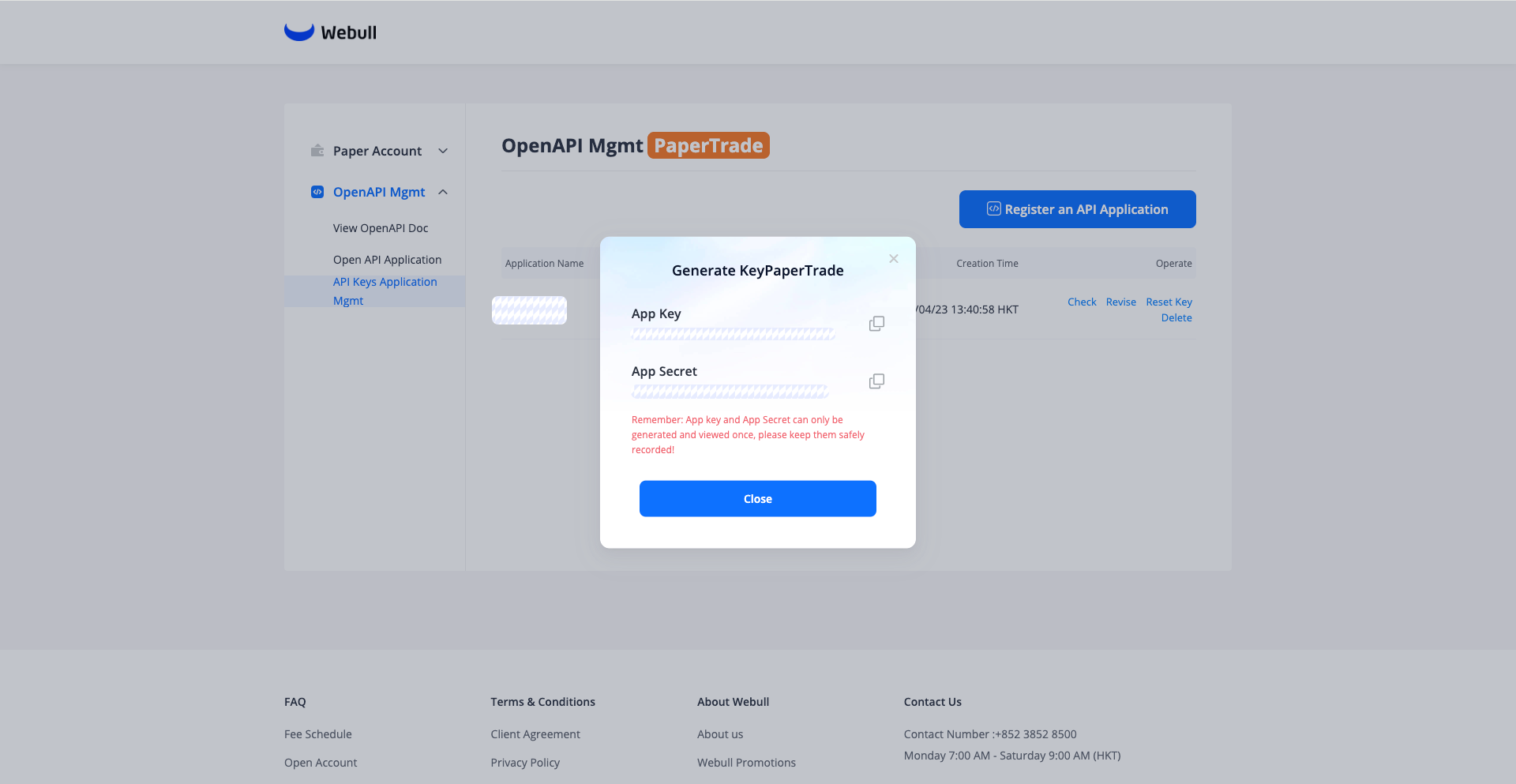
- You can click [Reset Key] to reset the App keys. Upon reset, the new key takes effect immediately, and the old key will be invalidated immediately.
Institutional Trader Mode Application Process
For administrators, you need to complete the Open API Services application, then grant Open API Access to users within your organization, allowing them to create their own app keys and app secret (AK/SK) and manage accounts through API.
For non-administrator users, you must first contact an administrator to enable Open API Access, then go to the official website's Developer Tools Center to create api keys application and, following the page instructions, create your personal Open API Keys application in the Developer Center.
Apply for OpenAPI
- Prod
- Sandbox
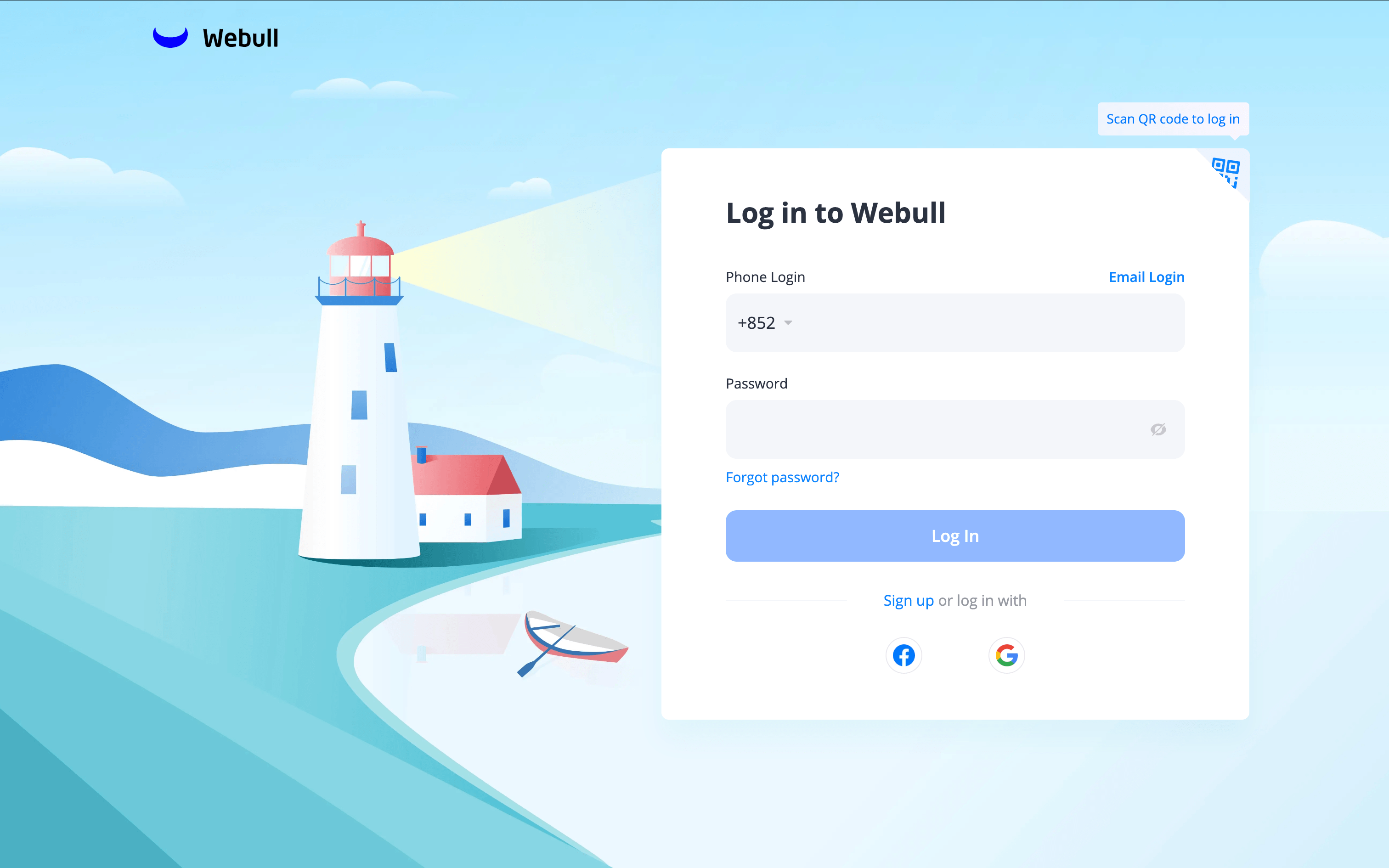
- Open the Webull Portal Prod. Log in using your Webull registered account. (If you do not have a Webull account yet, please click the Register button to sign up first.)
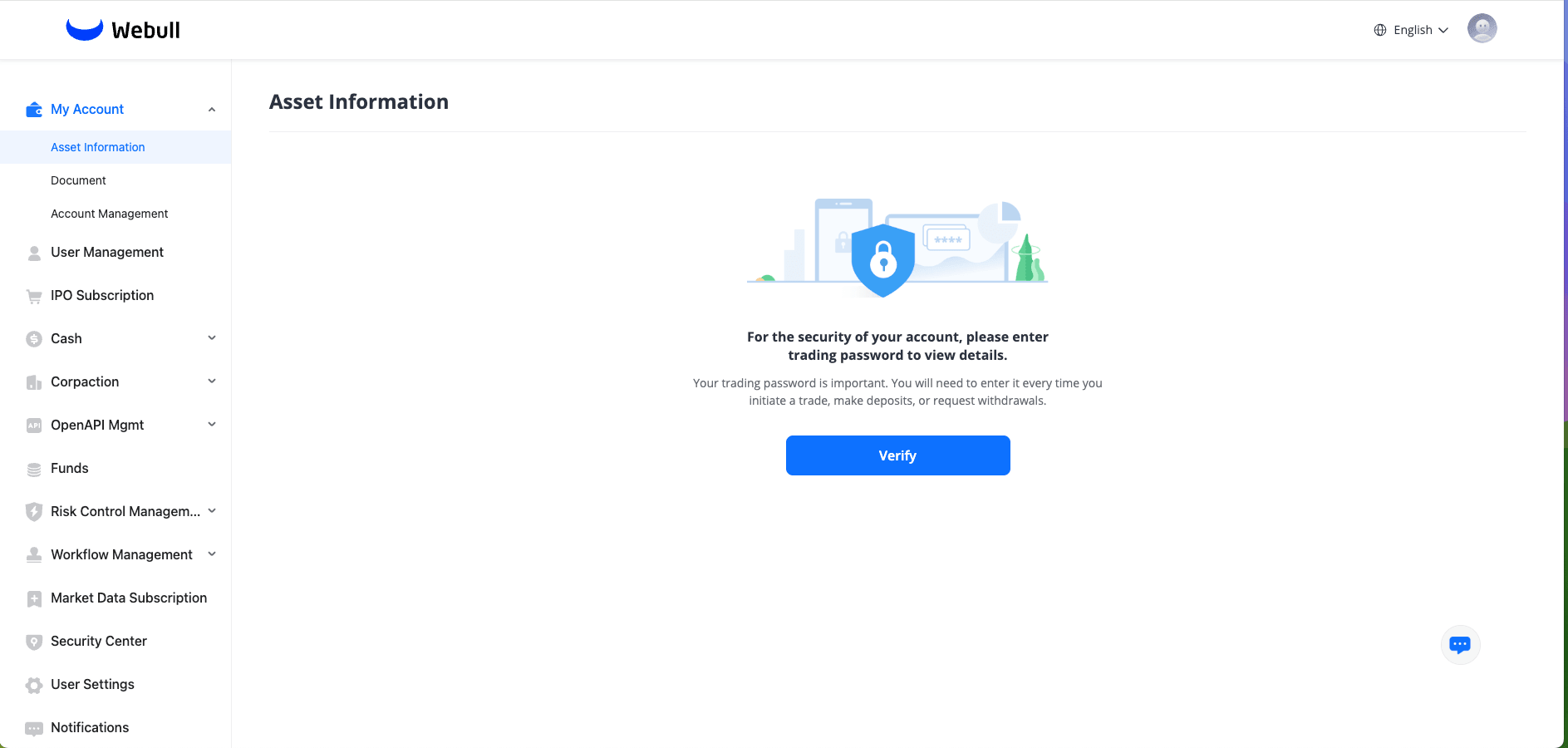
- After logging in, the My Account >> Asset Information page is shown below:
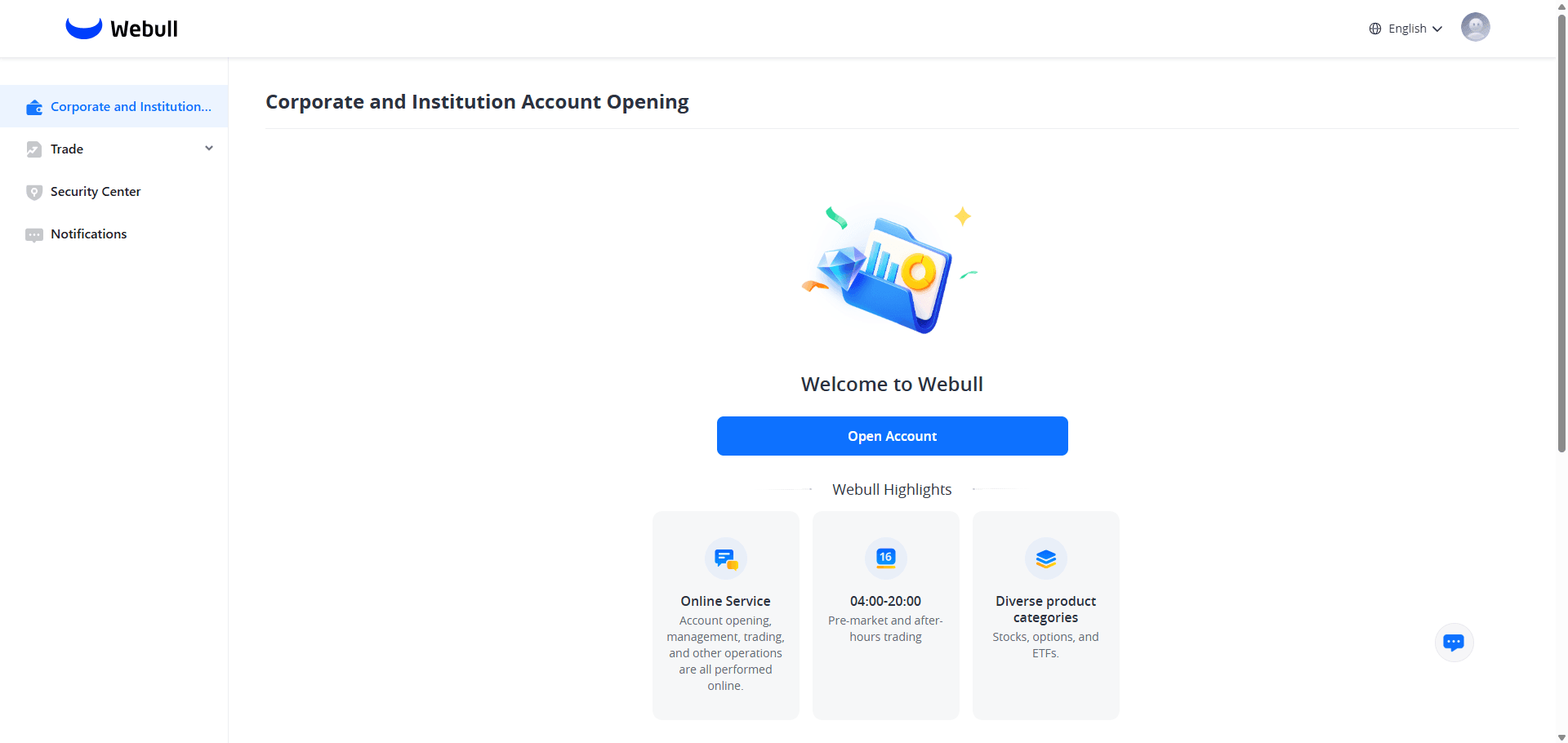
 If you have not opened an account, click the [Open Account] button and follow the instructions to submit your account opening information. You will need to wait until the account opening is completed before you can apply for the API.
- Once your account is opened, click [openAPI Mgmt] -> [My Application] to apply for the API.
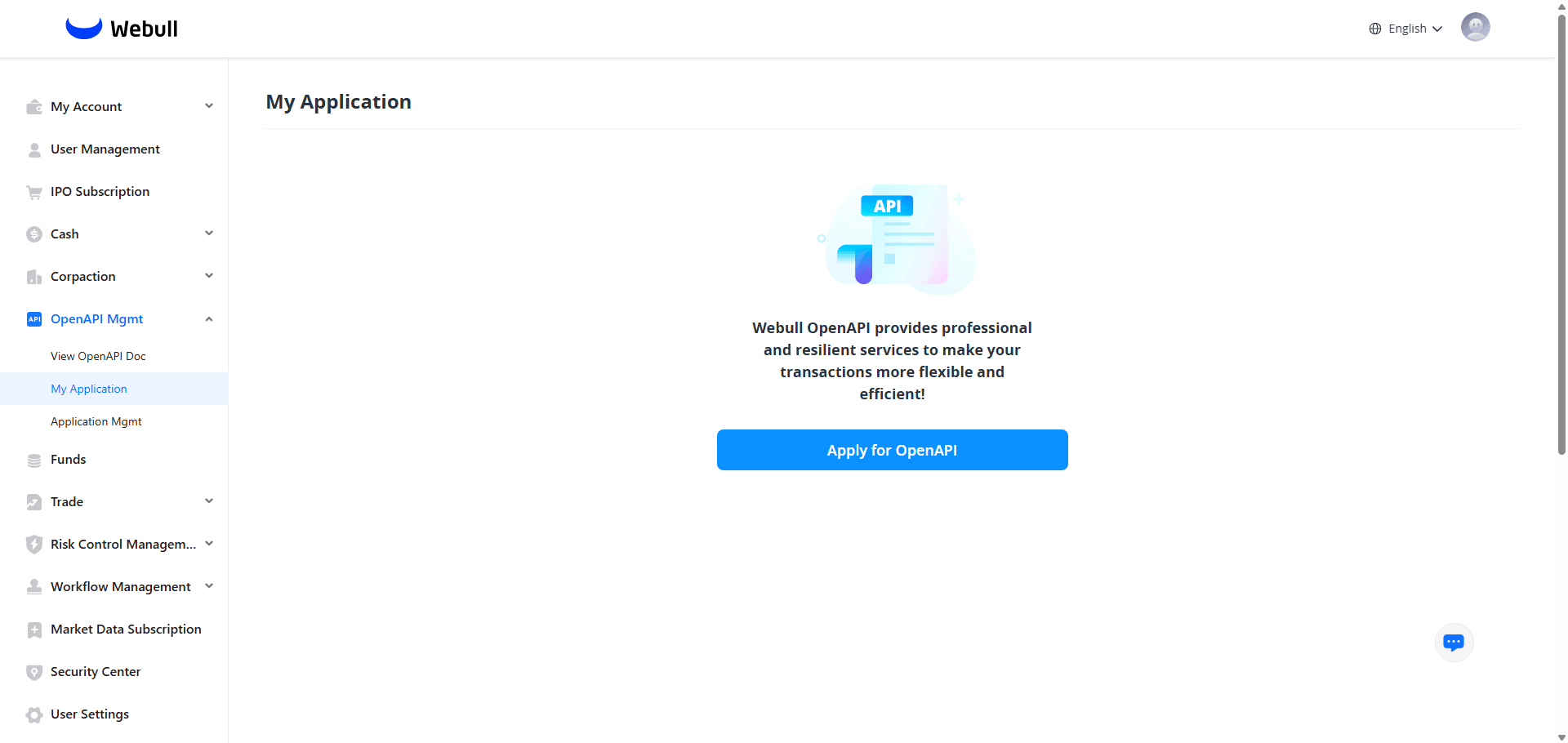
After submitting your API application, it will be reviewed by Webull operations staff. The review is expected to take 1 to 2 business days at the fastest.
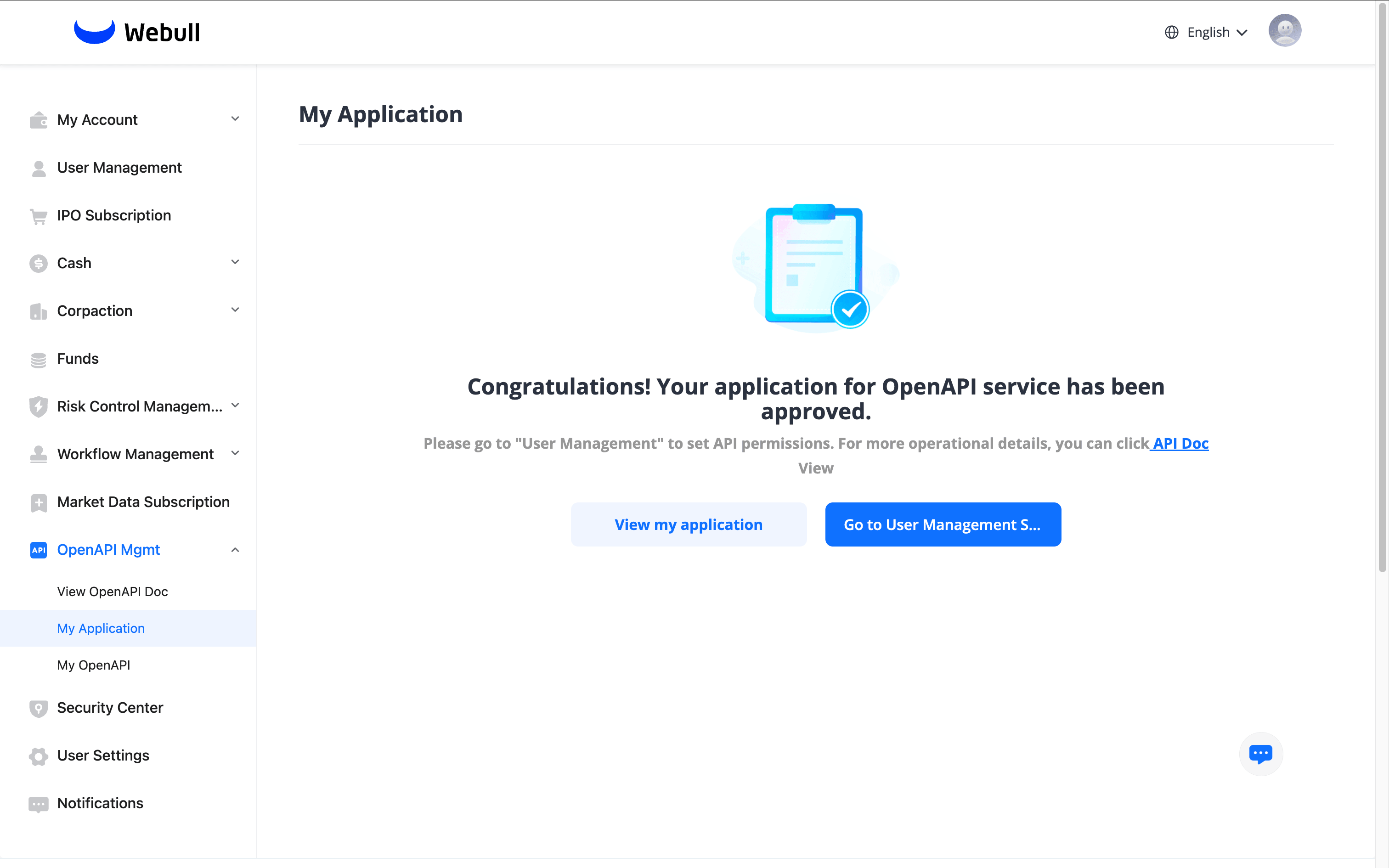
Once your application is approved, an email will be sent to the email address you provided during account registration. You can also view the status under [openAPI Mgmt] -> [My Application] in the Webull Portal, as shown below:
- Open the Webull Portal Sandbox. Log in using your Webull registered account. (If you do not have a Webull account yet, please click the Register button to sign up first.)
- After logging in, the My Account >> Asset Information page is shown below:
If you have not opened an account, click the [Open Account] button and follow the instructions to submit your account opening information. You will need to wait until the account opening is completed before you can apply for the API.
Select the institution's licensing status — recommend "Yes" for this option. For sandbox account opening, follow the above recommendation; for production, fill in per actual circumstances.
Choosing "Yes" reduces sandbox account opening data entry and speeds up the process. Sandbox data does not sync to production — the two environments are fully isolated.
- Once your account is opened, click [openAPI Mgmt] -> [My Application] to apply for the API.
After submitting your API application, it will be reviewed by Webull operations staff. The review is expected to take 1 to 2 business days at the fastest.
Once your application is approved, an email will be sent to the email address you provided during account registration. You can also view the status under [openAPI Mgmt] -> [My Application] in the Webull Portal Sandbox, as shown below:
Authorize Traders for Open API Access
- The admin can go to [User Management] to grant Open API Access to users in your organization. Once authorized, users can generate their own API keys and perform operations with them.
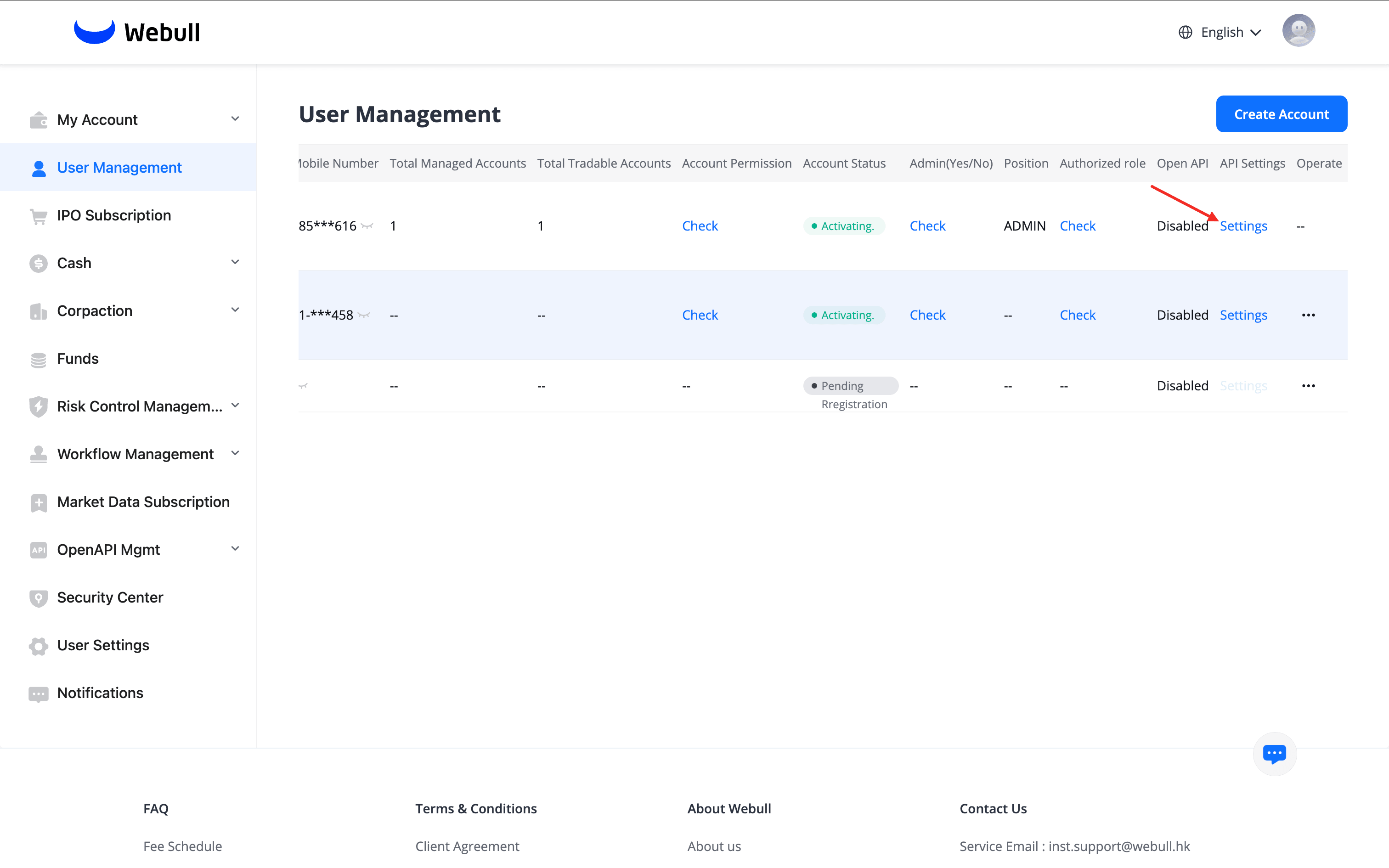
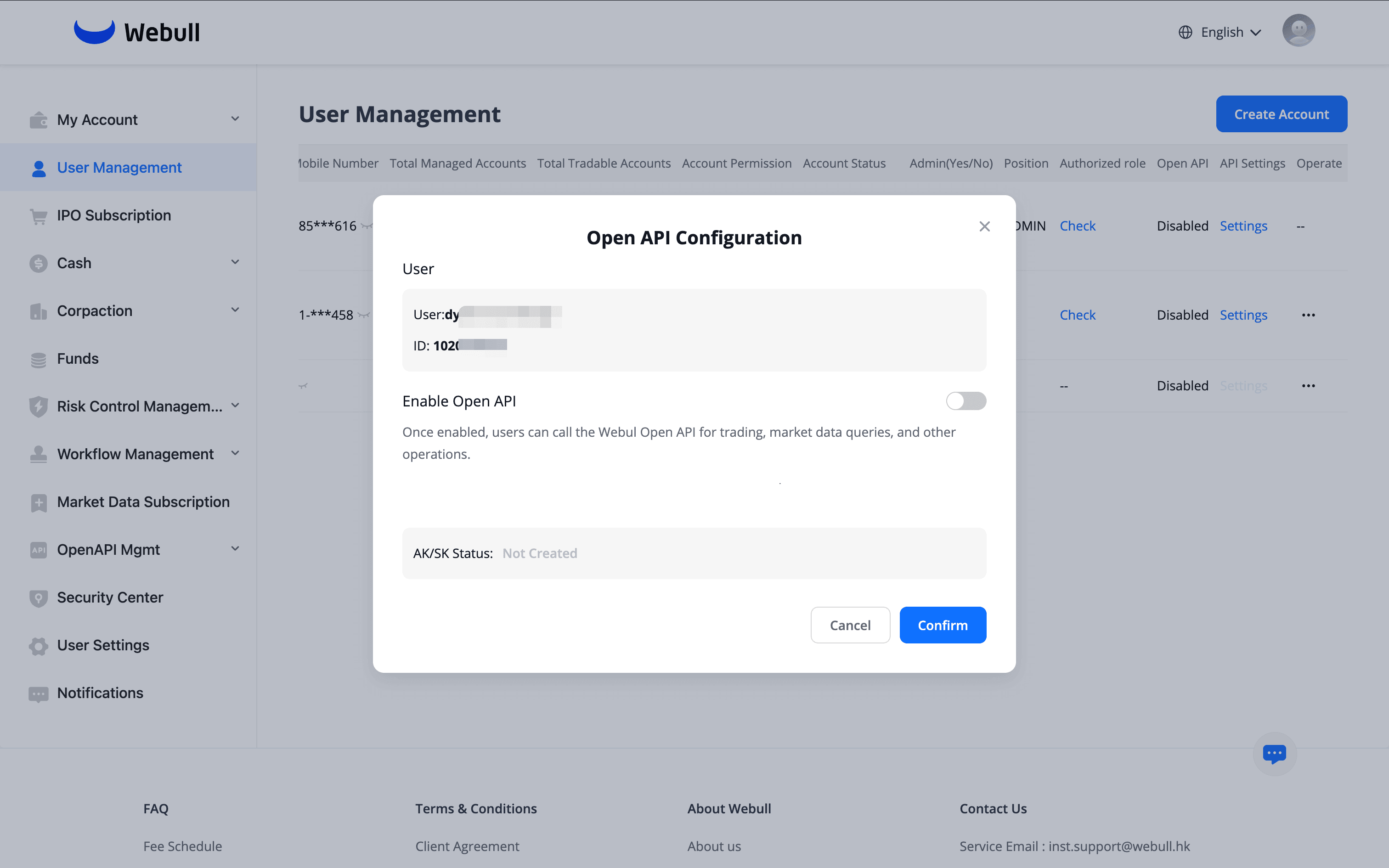
Authorize with caution—authorized users can access all accounts in the portal via their keys. Support for aligning key permissions with user permissions is coming soon.
Obtain API Key
As an Authorized Open API Trader,below is an example after key generation, which includes your Permissions, and the IP whitelist you have set.
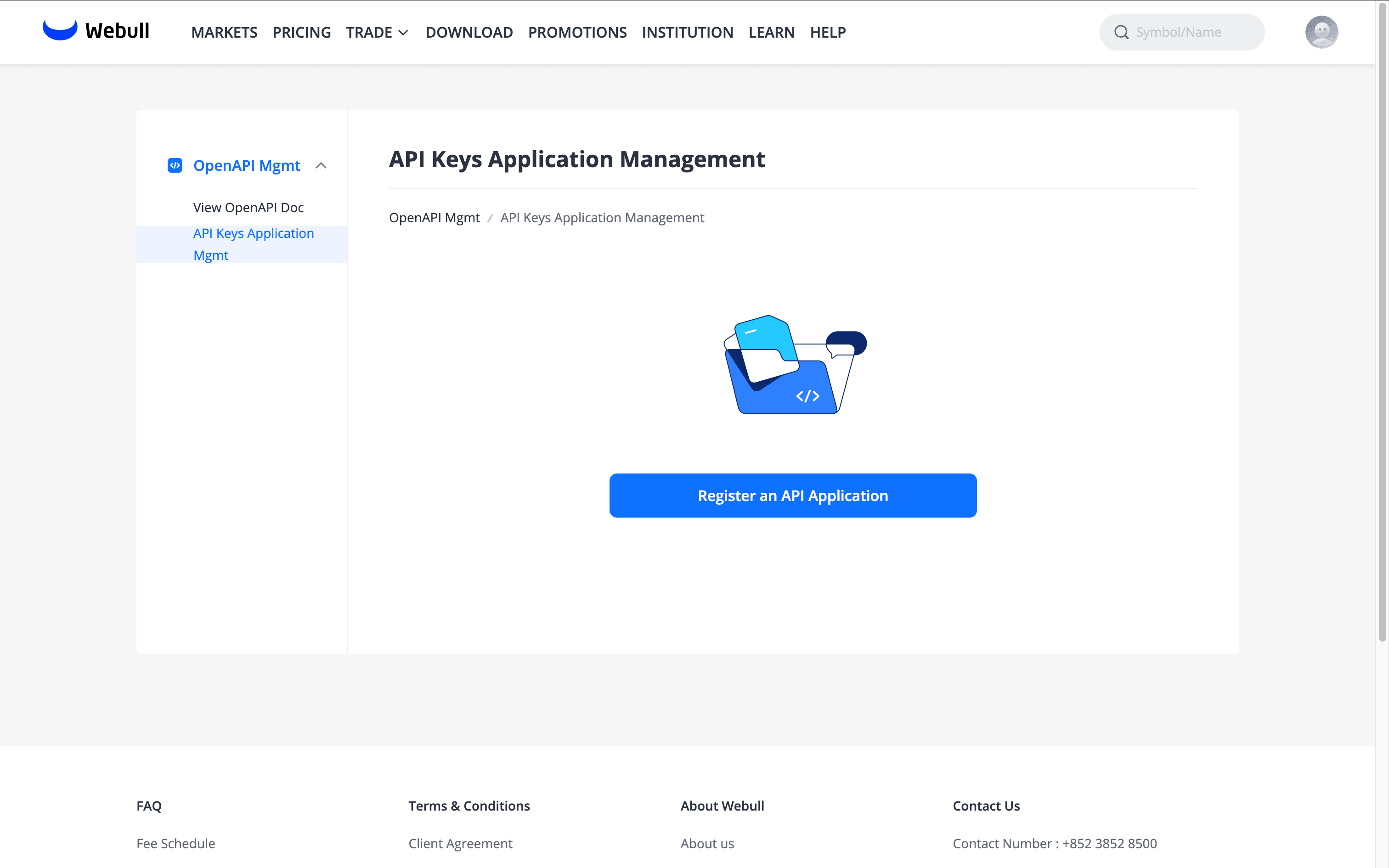
- After you receive an invitation from the institution administrator, you can start registering your application under [openAPI Mgmt] -> [My OpenAPI].
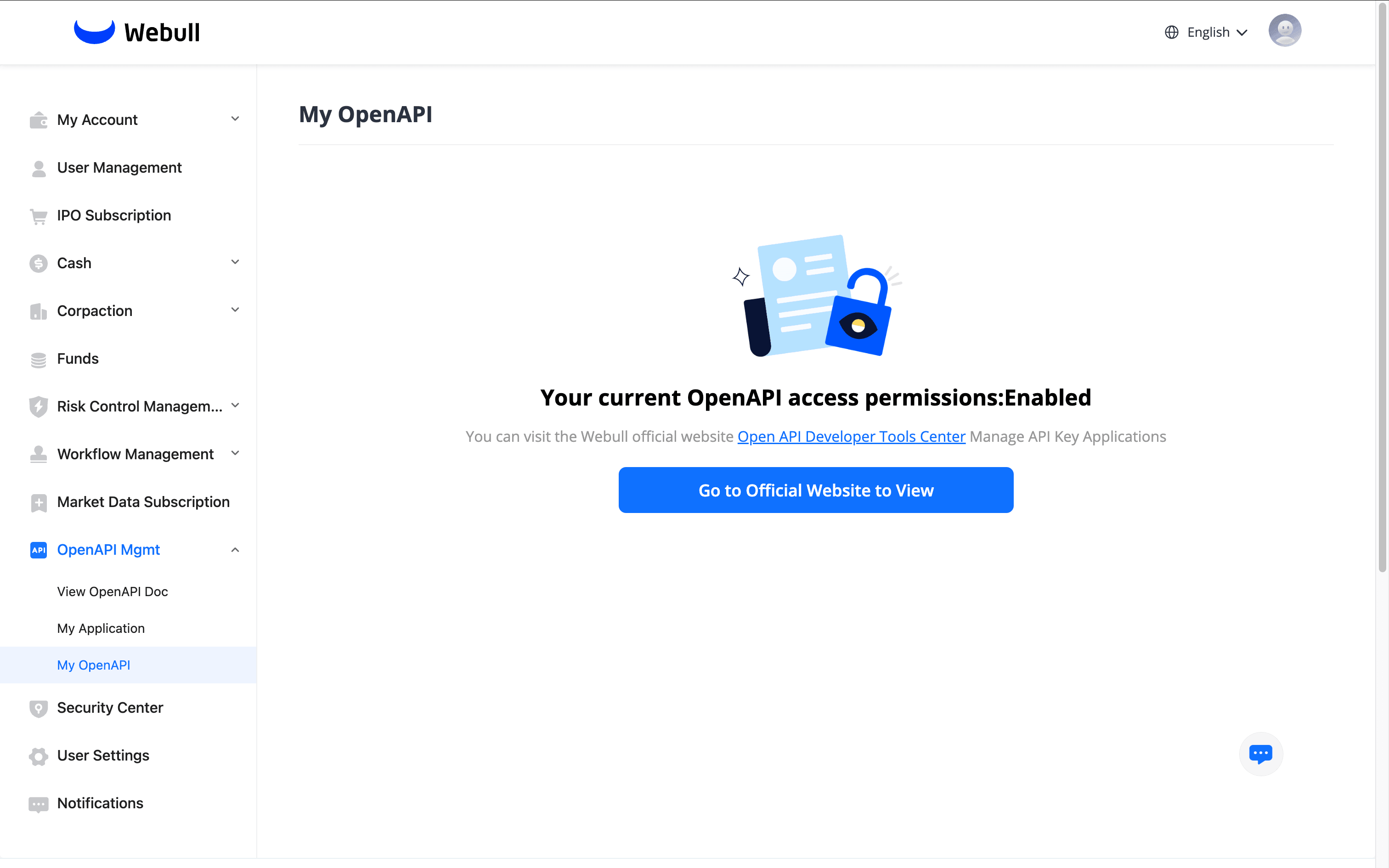 If you do not have OpenAPI access rights, the [My OpenAPI] page will display as follows:
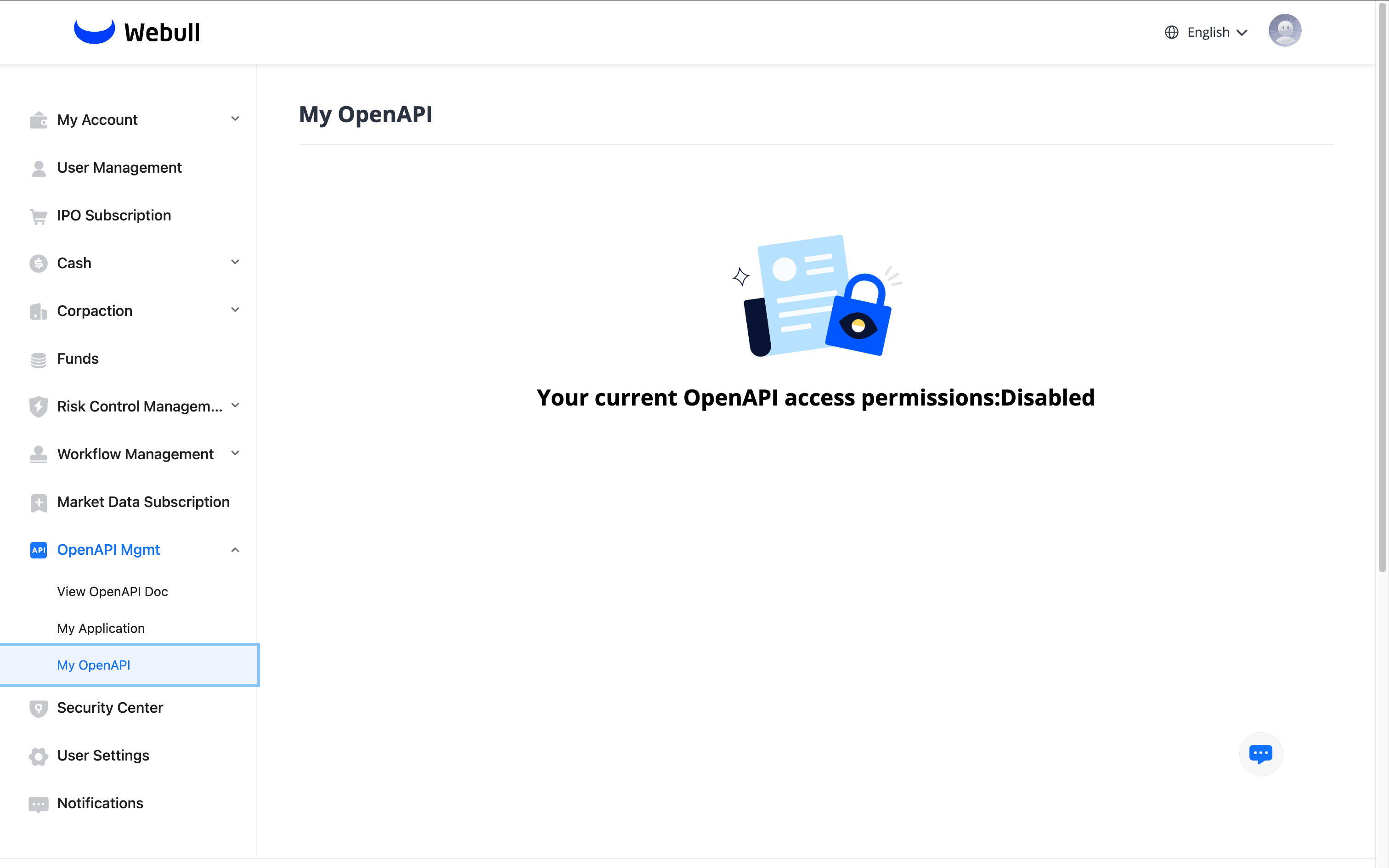
You can contact the institution administrator to grant access rights to OpenAPI.
-
Enter your application name and check "I have read and accept the API Agreement and Webull Securities (Hong Kong) Disclaimer" to register your application.
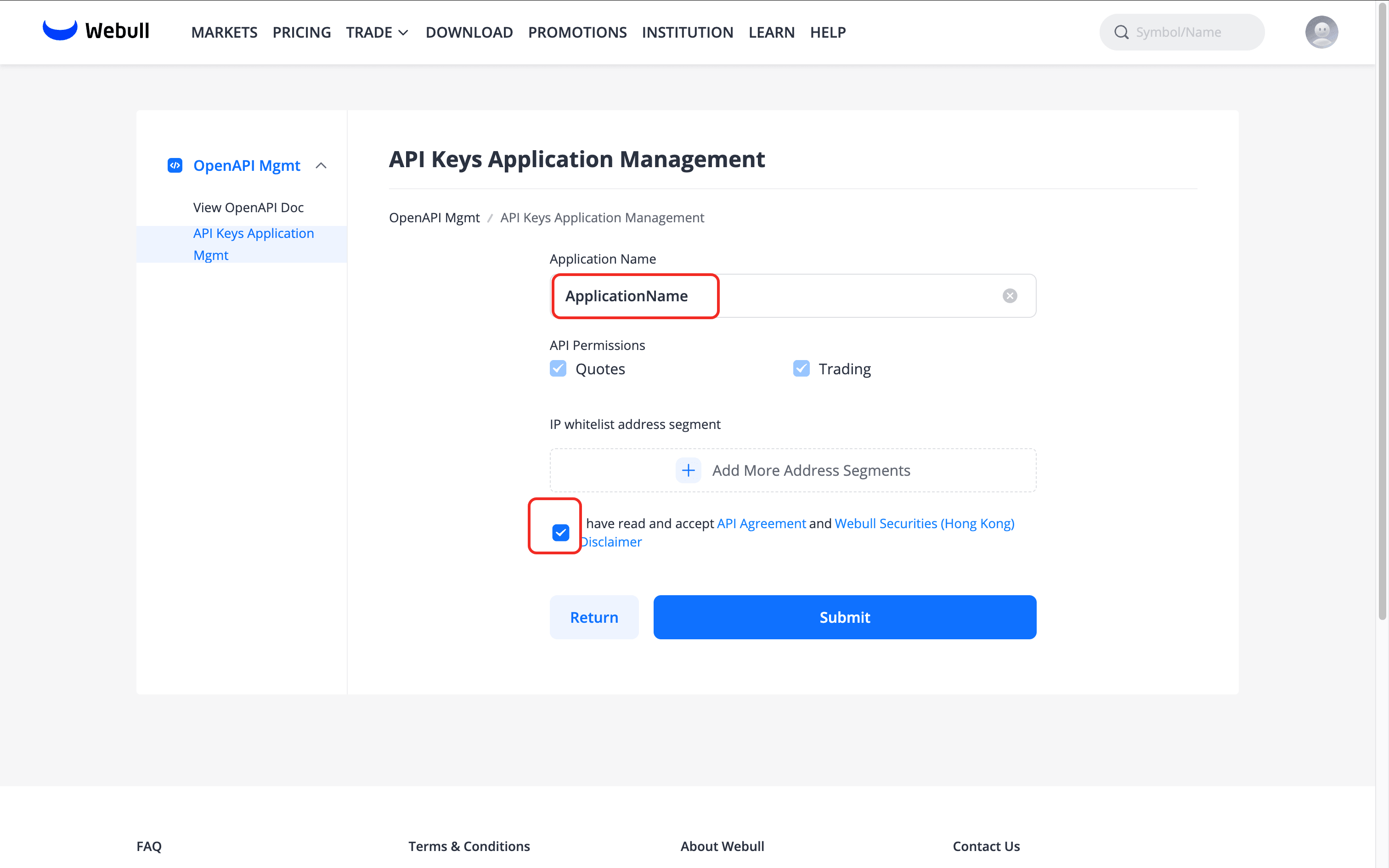
-
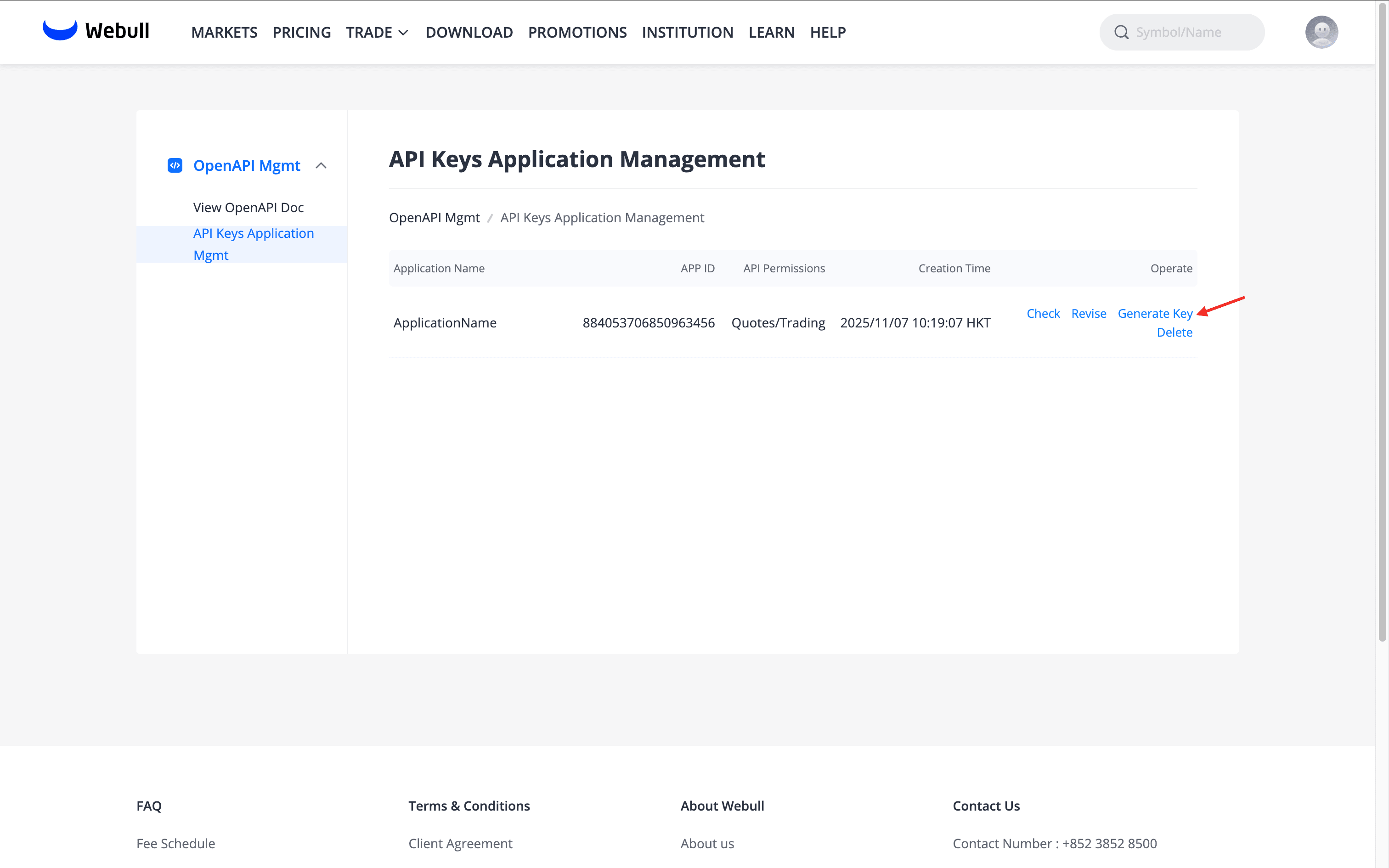
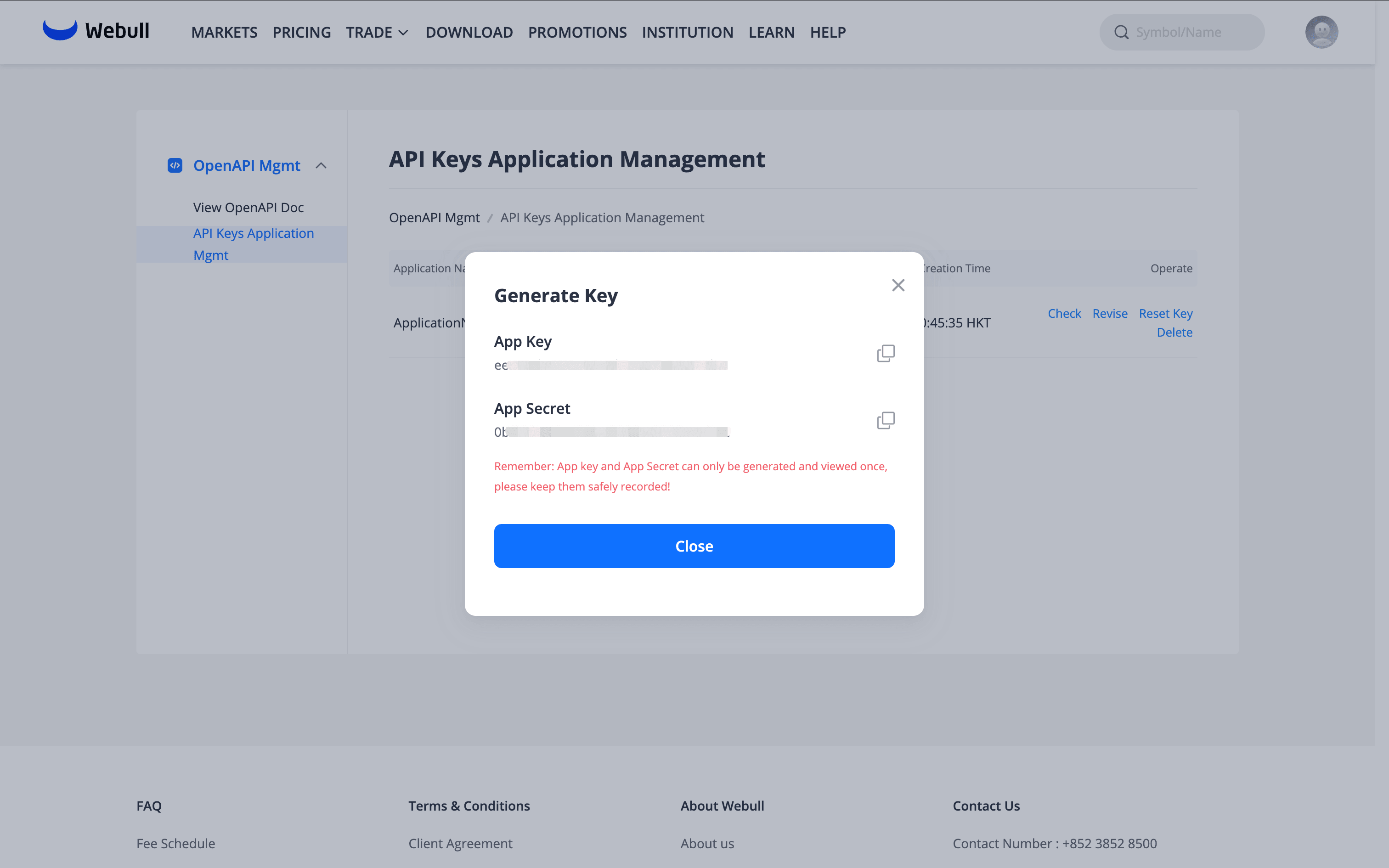
After registration is complete, click [Generate Key] to create your app key. During the key generation process, you will need to complete email verification and trading password verification.
-
When you need to reset your App Secret, you can click [Reset Key] to reset your App Secret.Upon reset, the new key takes effect immediately, while the old key will expire after 10 days. Should you need the old key to expire immediately, you may delete the key application.
API Key Security Management Responsibilities
Key Security Management Responsibilities: All lifecycle operations of API keys, including creation, naming, rotation, and deletion, are independently managed by authorized users in the Developer Center. Authorized users are fully responsible for key storage security, access control, and usage compliance.
Important: AK/SK (App Key/App Secret) are only displayed once upon generation. Please store them securely. If lost, you must delete the old key application in the Developer Center and regenerate a new one.