Broker API Application
The Broker API is available to institutional clients, enabling you to quickly and securely integrate Webull's brokerage capabilities into your own platform to create a one-stop financial services touchpoint. Webull will provide dedicated integration support, assign a dedicated contact person, and coordinate business, technical, and compliance resources throughout the entire process.
For inquiries or to submit an application, please email: inst.support@webull.hk
Pre-Application Preparation
Before submitting a formal Broker API application, applying institutions must complete the following preparatory steps:
-
Requirements Communication & Assessment Communicate with our staff regarding business scope, expected integration scenarios, and permission boundaries. Obtain the required materials checklist and technical integration guidelines.
-
Institutional Qualification Review Complete the necessary data entry and compliance review on the Webull Institutional Services Platform.
-
Environment Testing Complete technical integration and core functionality verification in the UAT or Sandbox environment.
Formal Application Process
Submit Application Materials: Applying institutions must contact our staff in writing or via email at inst.support@webull.hk, providing the following information:
| Information Category | Details |
|---|---|
| Business Integration Model | Describe the expected system integration architecture and connection approach |
| Use Case Scenarios | Explain specific business use cases and purposes |
| API Interface Requirements | List the specific API endpoints and functional scope required |
| IP Whitelist (Optional) | Provide a list of server IP addresses to be bound |
| API User Information | Provide the registered account email of the API user: 1. Must be a valid login account under the applicant's name 2. API access permissions will strictly match the user's account permissions in the current portal 3. To avoid disruptions due to personnel changes, consider registering a dedicated institutional user account to hold the Broker API keys |
Backend Review & User Authorization
-
Authorization Processing Upon receiving complete application materials, our staff will complete the Broker API application process and user authorization operations on your behalf in the backend system.
-
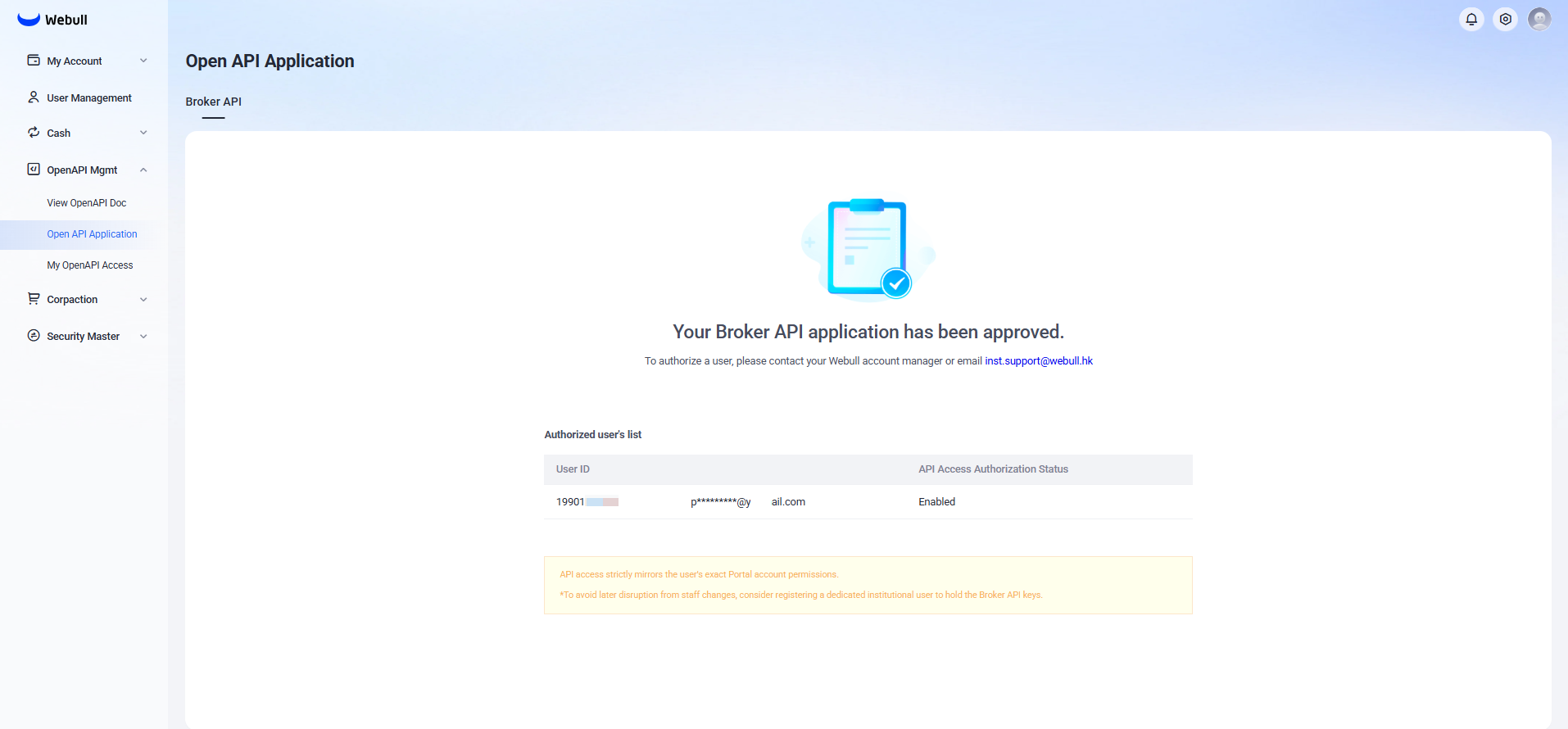
Viewing Authorized Users Applicants can view authorized user information in the Webull Institutional Portal by navigating to: 「OpenAPI Mgnt」 > 「Open API Application」 > 「Broker API」
Obtaining API Keys
- Check Authorization Status
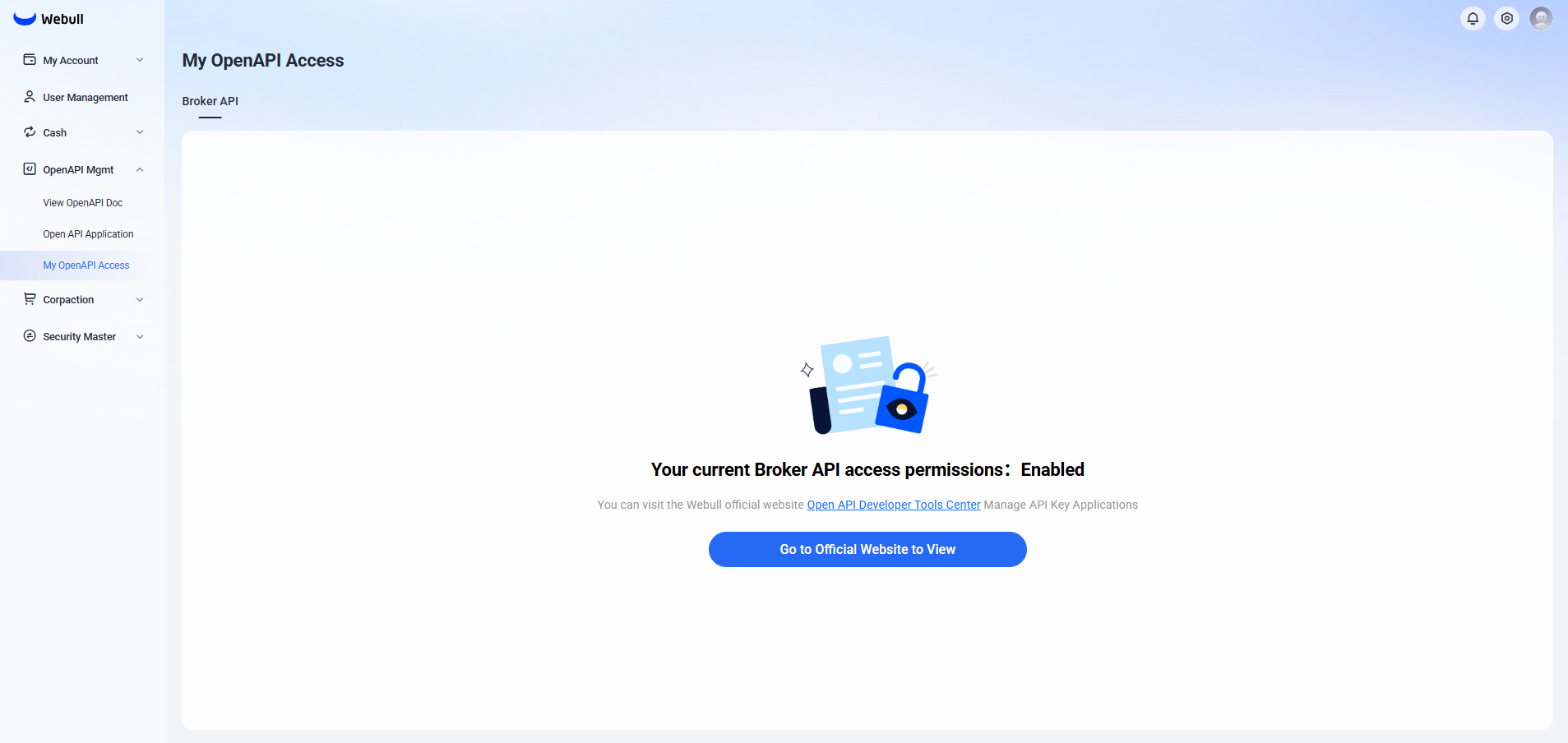
If you have been authorized by your institution to use the Broker API, you can check your status in the Institutional Portal at:
「OpenAPI Mgnt」 > 「My OpenAPI Access」
- Register API Key Application
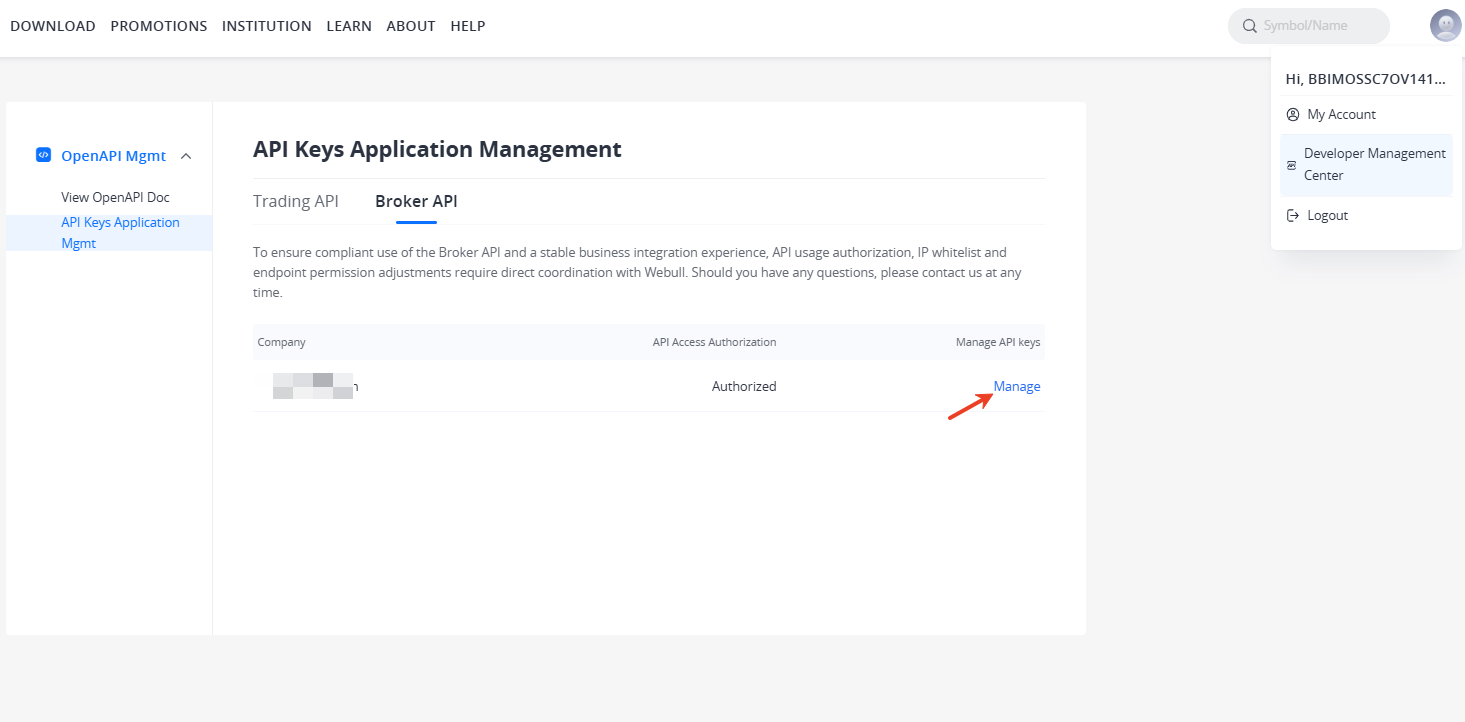
Authorized users must log in to the Developer Management Center on the official website and navigate to:
「API Keys Application Management」 > 「Broker API」
Here you can view the authorized company name and authorization status. Click 「Manage」 to enter the key application registration page.
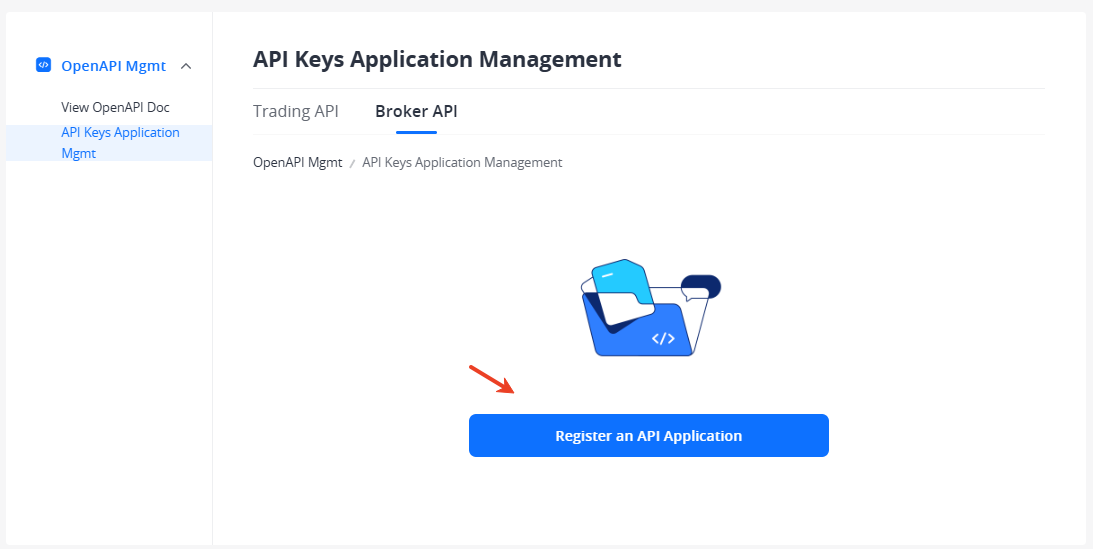
- Generate One-Time Authentication Keys
After registration is complete, click [Generate Key] to create your keys. During the key generation process, you will need to complete email verification code and trading password verification. Below is an example of generated keys, including
App KeyandApp Secret.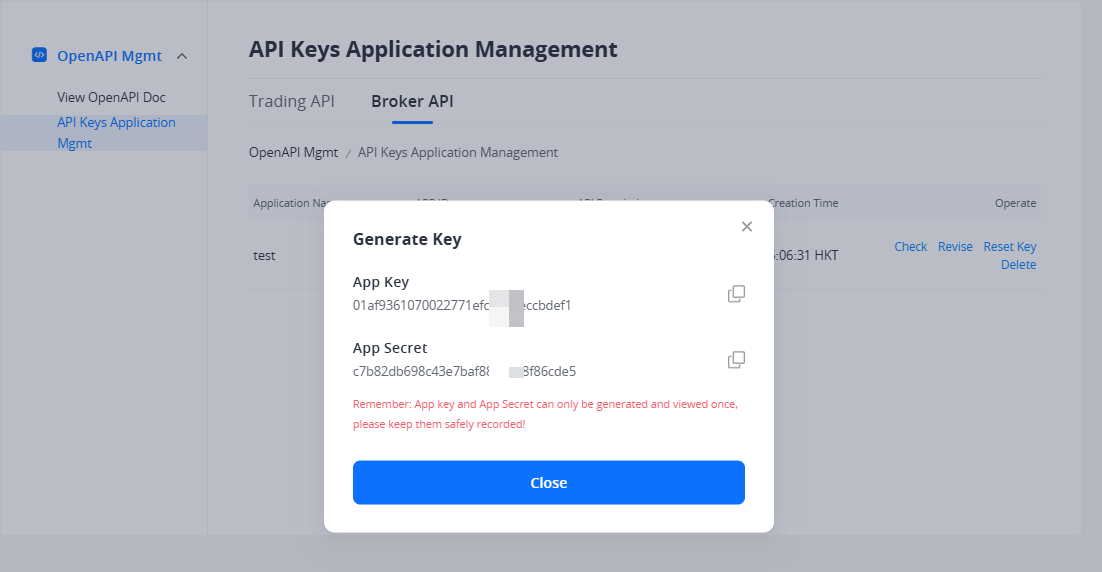
- Key Reset
If needed, click [Reset Key] to reset your
App Secret. After reset, the new key takes effect immediately, and the old key will expire after 10 days. If you need the old key to expire immediately, you can delete the key application.
Key Security Management Responsibility: All lifecycle operations of keys—including creation, naming, rotation, and deletion—are independently managed by authorized users in the Developer Center. Authorized users are fully responsible for the storage security, access control, and usage compliance of keys. AK/SK (Access Key/Secret Key) are displayed only once upon generation. Please save them securely. If lost, they must be regenerated in the Developer Center.
Permission Details
-
Account Permissions: The account and operation permissions accessible by the API key remain consistent with the user's authorization in the Portal.
-
Endpoint Permissions: The callable API endpoint scope of the API Key remains consistent with the endpoint permissions configured during Broker API application.
If you need to adjust API usage authorization or endpoint permissions, you must contact our staff to proceed. Staff will update the configuration in the backend, and changes will take effect immediately after the operation and be synchronized to all active keys.